Last updated: November 2026 · By Ben Gorski, founder of Swum
I make the Swum app (swum.ai), so read this knowing I'm biased. I swam at Notre Dame, coached, and built Swum for the team I coached. Most of the decisions below apply whatever software you use.
How do I bill swim lesson families monthly with autopay?
Put each family on a plan that charges the card they saved at signup, on a set day. In Swum, a subscription lesson plan charges families automatically on the 1st of each month, and an ongoing group class can charge weekly, every 2 weeks or monthly.
The family enters a card once, when they sign up. Payments run through Stripe and land in your bank. After that, nobody sends an invoice and nobody chases a Venmo.
Before you switch it on, decide the billing day, how late joiners pay, what happens when a card fails, and how families pause for summer.
What do I need before I turn on autopay?
- Swum Pro or higher. Lesson plans and group lessons are on Swum Pro ($98 a month, 5% total fees per transaction) and up.
- Your bank connected. Go to Settings → Bank Account. Stripe handles your bank details and payouts.
- A card from each family. Families save a card when they check out, and Swum charges that card on schedule.
How do monthly swim lesson plans charge?
Go to Settings → Pricing → Plans → New Plan and pick Subscription. A subscription renews until the family cancels.
Then choose Subscription Billing:
- Monthly: families are charged on the 1st of each month.
- Weekly: lessons in the same Sunday-to-Saturday week become one charge before the first lesson.
- Bi-Weekly: lessons in each two-week period become one charge.
- Per Lesson: each lesson gets its own charge.
- 15th, or 1st & 15th: for schools that bill mid-month or twice a month.
Next, the price. With Price Per Lesson, the monthly charge is your rate times that month's lessons. At $40 a lesson, a month with four Tuesdays is $160 and a month with five is $200. Dates you've blocked, like a holiday, aren't billed.
If you'd rather charge the same amount every month, turn on Flat Monthly Dues. One fixed amount is charged for each calendar month.
Last, set the Cancel Policy: how many days' notice a family has to give before they can cancel.
How do ongoing group classes bill?
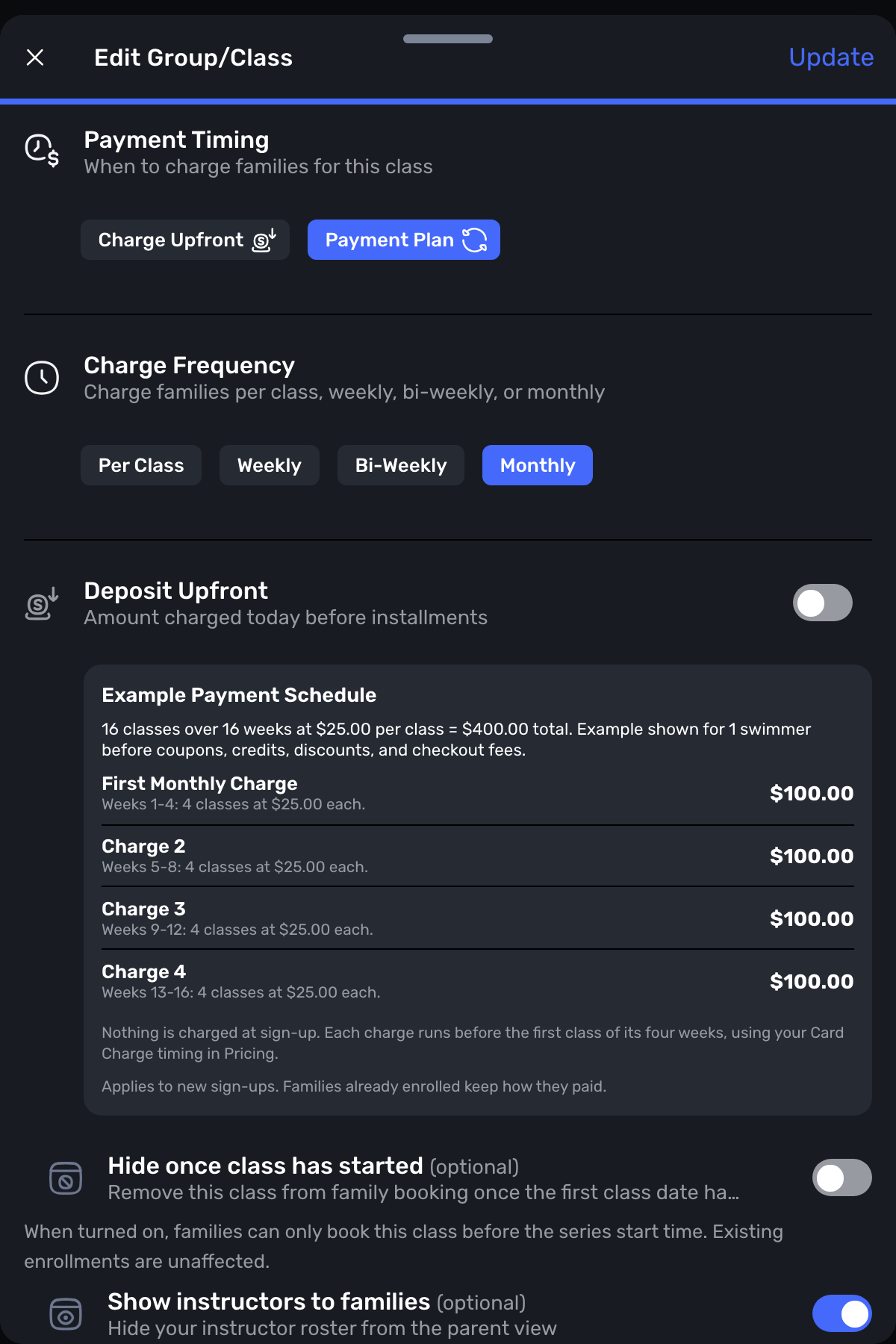
For a class that runs all year, go to Settings → Groups & Classes, create the class, and pick Perpetual dates. The class keeps making future dates, and swimmers stay enrolled until they're removed.
Under How do families join?, pick They sign up online. Families enroll online and are billed automatically.
Then answer three questions:
- How often do they pay? Weekly, Every 2 weeks, or Monthly. Swum shows the amount, for example "4 classes × $25".
- What day do they pay? Day they join charges each family on its own dates. Same day for all charges everyone on the same date.
- Fewer classes in a period? Same amount charges the full price every time. Charge less means families pay only for the classes that happen, like when dates are blocked.
Can I charge a registration fee or a deposit?
Yes to both, in different places.
Registration fee: go to Settings → Pricing → General → Registration Fee. The fee is charged when a family first books, then every year, or only once if you set How Often to One Time.
Turn on Charge per participant to charge each swimmer, and set a Family max so siblings don't stack up. At checkout the family sees the math, like "3 participants × $50 · $100 family max". Use Charged On to pick which plans and classes carry the fee.
Deposit: for a fixed-length plan split into payments, turn on Deposit Upfront. It takes part of the price at booking and splits the rest, and you choose whether the deposit is refundable. Monthly subscriptions don't offer it.
What happens when a family joins mid-month?
They pay only for the rest of that month. A family who signs up on the 15th of a monthly subscription pays roughly half for the first month. With Flat Monthly Dues, the first month is prorated for the practices that are left.
For a perpetual class set to Same day for all, a family who joins between charge dates pays the per-class price until the next charge date, then joins everyone else's schedule.
What happens when a family's card is declined?
The plan stays active. Swum records the failed payment and sends the family an invoice.
The family gets a "Plan Payment Failure" notice telling them the payment failed, that the plan is still active, and to pay the invoice. You get a notice that the payment failed and the invoice went out.
Two switches in Settings → Pricing → General → Advanced Options decide what happens next:
- Automatic Payment Recovery retries failed card payments on the family's saved card, up to three times, a day apart.
- Cancel Unpaid Plans ends a plan when its invoice is still unpaid after the due date. You pick 3, 7, 14 or 30 days. When it's on, the notice gives the family a date: pay the invoice by that day to keep the plan.
You can also catch most failures before the 1st. Balance → Upcoming shows next month's expected total, and its Needs a look tab flags charges likely to fail: no card on file, a card declined last time, a card that expires before the charge, or an amount that changed since last month.
How do families pause for summer?
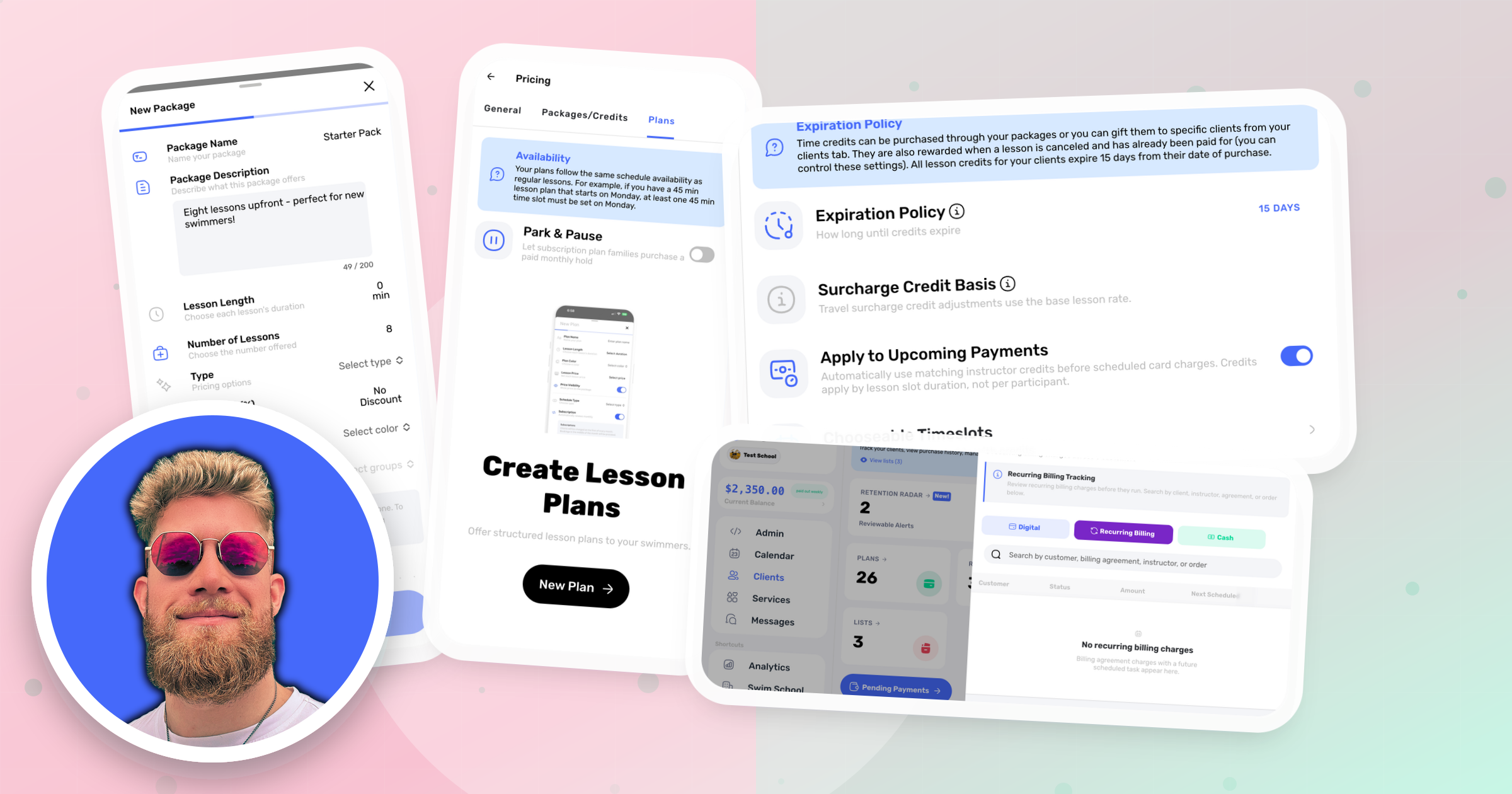
Use Park & Pause. Turn it on in Settings → Pricing → Plans and set a Hold Fee Per Lesson.
A family on a subscription plan picks the dates they'll be away and pays the hold fee for each paused lesson. Those lessons are skipped, and the plan stays in place. If a whole month is paused, that month isn't charged, and both of you get a "Park & Pause Applied" notice.
That gives families a middle choice between paying full price and canceling.
What do families see?
- At checkout: the price, plus the registration fee math.
- After each monthly charge: a "Plan Renewed" email.
- On their plan in the app: Park & Pause (when it's on) and a cancel button that follows your notice period.
- If a charge fails: a notice and an invoice to pay.
If you're still deciding whether to sell monthly plans at all, start with packages vs. subscription plans. Running a school with several instructors? Here's Swum for swim schools. Teaching on your own? Start at swum.ai.
FAQ
Can Swum charge swim lesson families automatically every month?
Yes. A Swum subscription lesson plan charges each family's saved card on the 1st of each month until they cancel. Swum plans can also bill weekly, every two weeks or per lesson.
Do families pay a full month if they start mid-month?
No. A Swum subscription prorates the first month, so a family who signs up on the 15th pays roughly half. Blocked dates aren't billed either.
What happens if a swim family's card is declined in Swum?
The plan stays active, and Swum sends the family an invoice and a notice. With Automatic Payment Recovery on, Swum retries the saved card up to three times, a day apart.
Can families pause swim lessons for the summer without canceling?
Yes, with Swum's Park & Pause. The family picks the dates and pays the hold fee you set for each paused lesson. A month that's fully paused isn't charged.
Can ongoing group swim classes bill monthly?
Yes. A Swum class set to Perpetual dates can charge families weekly, every 2 weeks or monthly. Families can be charged on the day they join or all on the same day.
Which Swum plan do I need for monthly billing?
Swum Pro or higher. Lesson plans and group lessons are on Swum Pro ($98 a month, 5% total fees per transaction), Swum Pro Max and Swum Enterprise. Swum Standard covers single lessons.