Can families register for swim lessons online with Swum?
Yes. Families register from your booking page or the Swum app. In one checkout they add swimmers, answer your questions, sign your waivers and pay, including any registration fee.
Families sign up online in one checkout: swimmers, your questions, your waivers, your registration fee and the first payment. No paper forms and no phone tag.
Get Started Free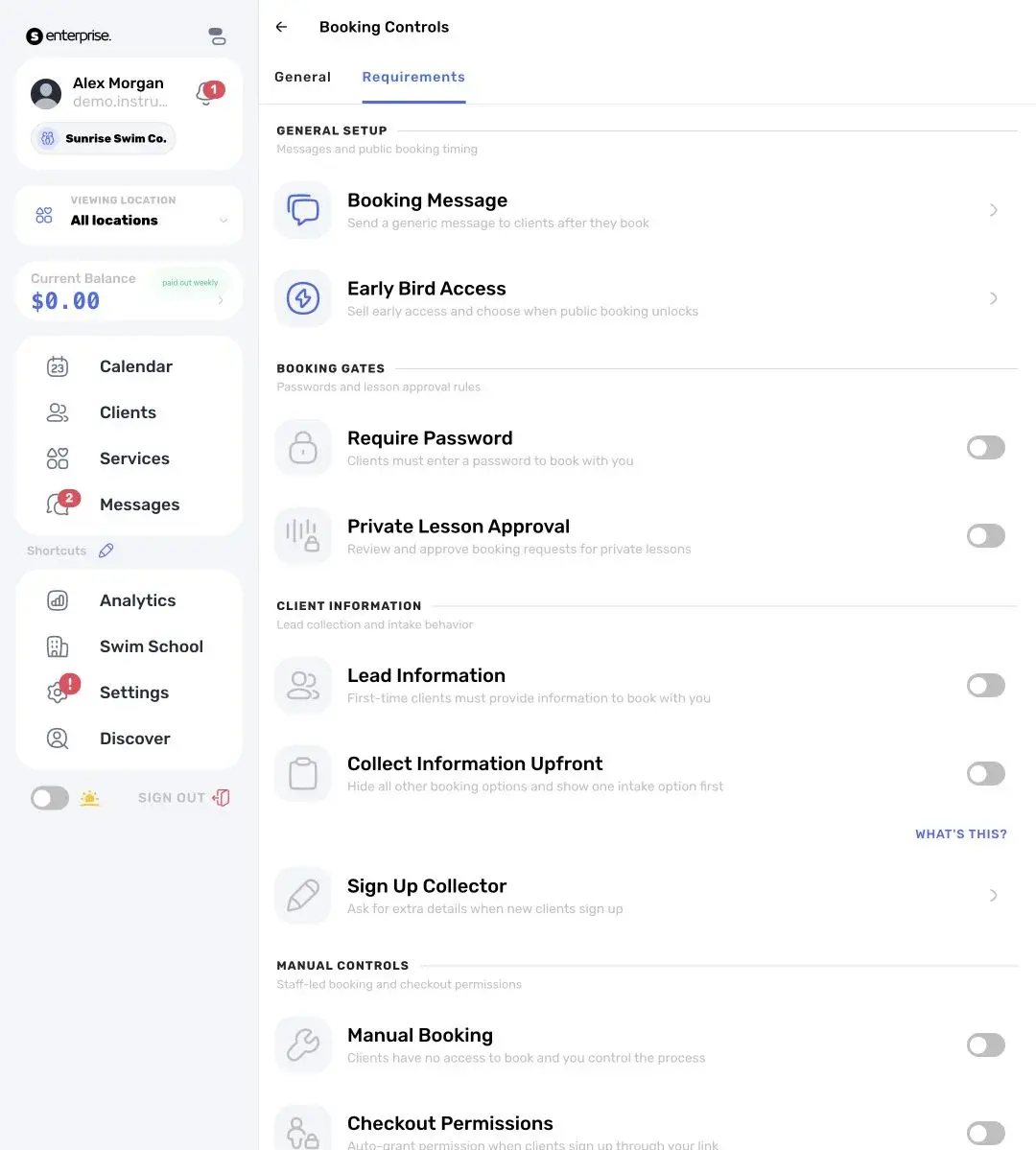
Swimmers, questions, waivers, fees and payment in one flow.
One family account holds every swimmer.
When a class fills up, families join the waitlist instead of calling you.
Families register from your booking page, on the web or in the Swum app.
Turn on the waitlist. For weekly classes, Swum enrolls the next family automatically when a spot opens and charges them for that week. For a class series, Swum texts the families on the waitlist who agreed to texts.
Families can also mark a swimmer absent and book a makeup in another class time, within the limits you set. See makeup lessons.
On Swum Enterprise, SwumAI recommends the right class for each swimmer from their level, their age and their answers to your questions.
Upload your families from a spreadsheet (CSV), and move leftover lessons over as credits. Swum can also bring families over from Jackrabbit, iClassPro and Acuity. See the migration checklist.
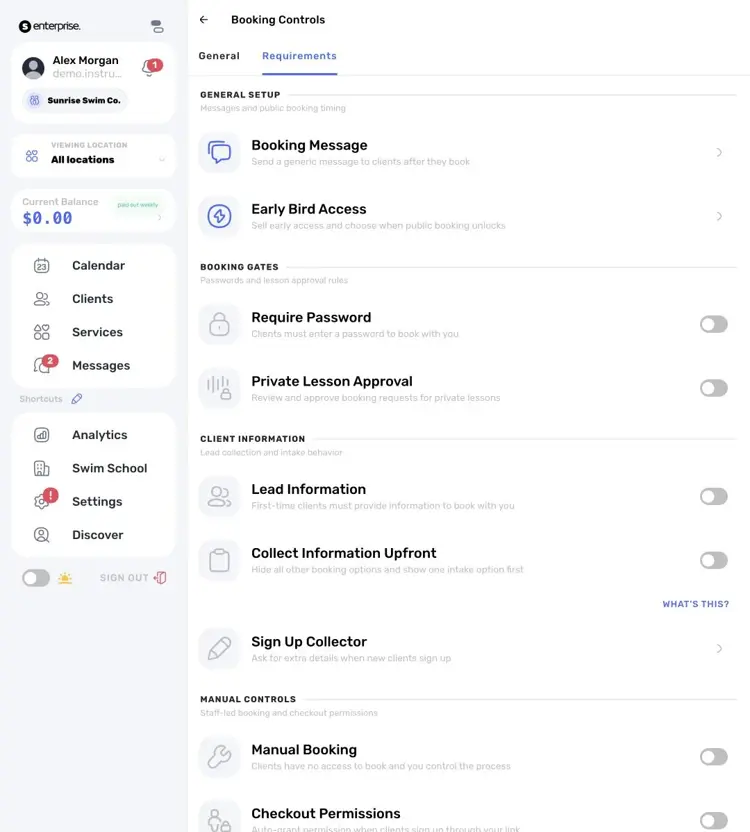
Early Bird Access, a booking password, approvals and sign-up questions, all in Booking Controls.
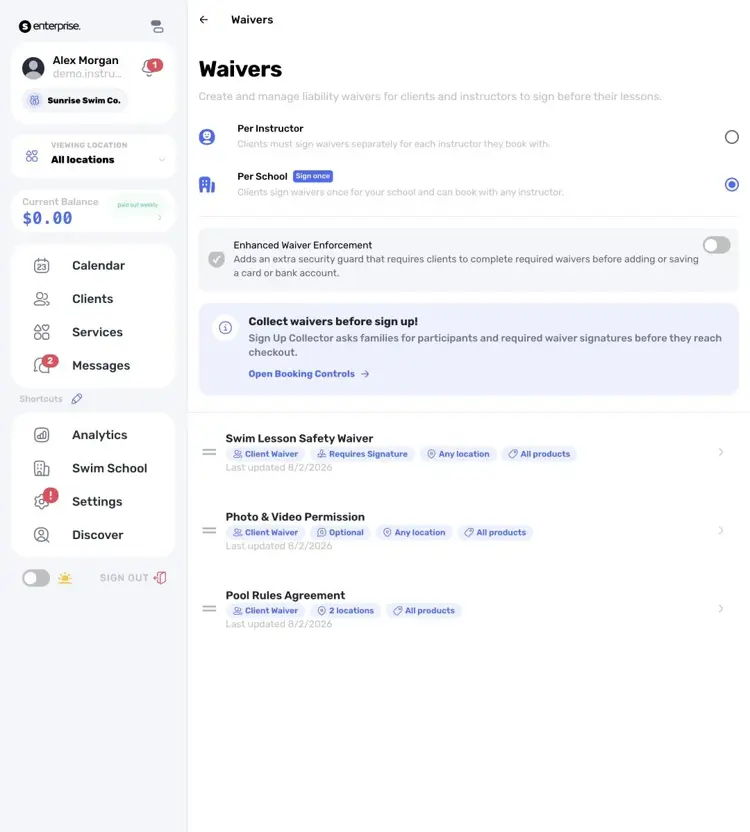
Collect waivers before sign-up, per swimmer, for each school, location or product.
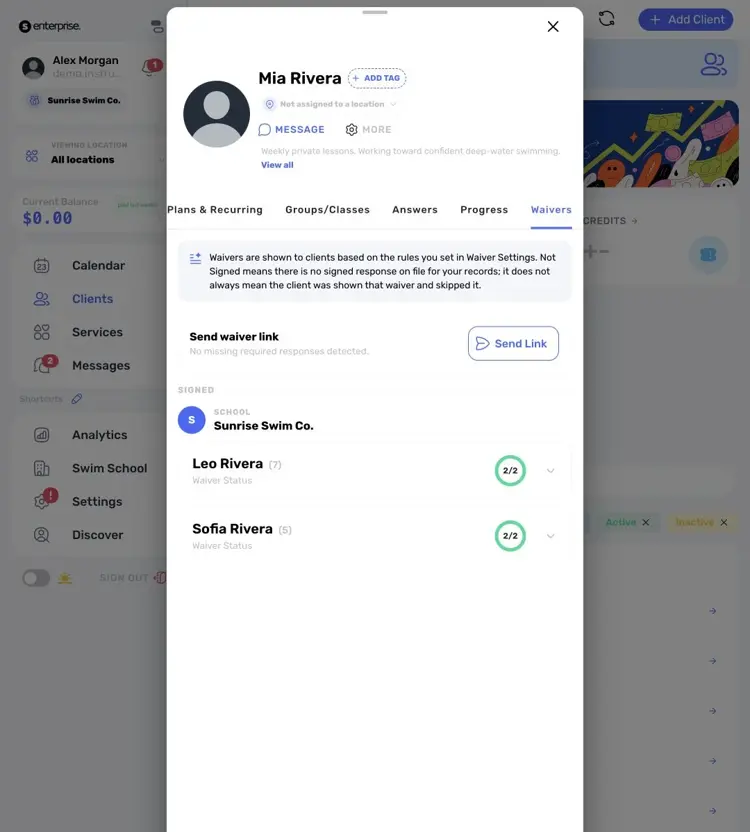
Each family's page shows which swimmers signed which waivers.
Families sign up for classes, plans, packages and privates on their own.
Every swimmer in one account, with household contacts.
Ask what you need to know before the first lesson.
Waivers signed per swimmer inside the checkout.
Charged with the first payment, on the plans and classes you pick.
Full classes keep a waitlist that fills open spots.
Discover how Swum can transform every aspect of your swim instruction business
Class series, ongoing classes, waitlists and makeups.
Monthly tuition, registration fees, packages and invoices after families sign up.
Digital waivers for families and contracts for instructors.
See the complete platform for swim schools, aquatic centers, and growing lesson programs.
Automate availability, booking, payments, reminders, and parent self-service.
Compare Swum plans, platform fees, and enterprise pricing for higher-volume operators.
Yes. Families register from your booking page or the Swum app. In one checkout they add swimmers, answer your questions, sign your waivers and pay, including any registration fee.
Yes. Charge it once or every year, per family or per swimmer with a family maximum, on the plans and classes you choose. You can mark families who already paid so they are not charged again.
Yes. Add intake questions as free text, single choice or multiple choice, and make each one required or optional. Ask at booking or from 3 days to 2 months before the first lesson.
Families join the waitlist. For weekly classes, Swum enrolls the next family automatically when a spot opens. For a class series, Swum texts the families waiting who agreed to texts.
Yes. Early Bird Access lets families book during a window before booking opens to everyone, for an access price you set.
Private lesson booking works on every plan. Group classes, plans, packages and intake questions need Swum Pro ($98 a month) or higher.
Bring booking, scheduling, payments, communication, and swim lesson operations into one platform.
Get Started Free