You know your software is bad. The admin dashboard looks like 2011, parents call you to book because the portal confuses them, and support takes four days to answer. You've known for a year.
You haven't switched for one reason: you're afraid of losing families in the move. Their cards on file, their credits, their booking habits - it all feels load-bearing.
Here's the truth from schools that have done it: a planned migration done between sessions loses essentially nobody. An unplanned one - or five more years on a platform parents hate - loses families every month, silently. This is the phase-by-phase checklist.
The Real Cost of Staying
Before the checklist, do this math, because inertia survives on never doing it:
| Hidden cost | Typical damage |
|---|---|
| Admin hours on workarounds | 5-10 hrs/week reconciling spreadsheets, taking phone bookings, chasing payments - at any reasonable value of your time, $1,000+/month |
| Lost bookings | Parents who hit a clunky portal at 9pm and give up. If poor self-booking costs you even 2 bookings a week, that's $6,000+/year |
| Fee drag | Legacy platforms stacking monthly SaaS fees + processing + per-registration charges that were never renegotiated |
| Missing revenue features | No packages, no subscriptions, no deposits, no waitlist - entire revenue models you can't run |
Meanwhile, a platform that quietly drops families can cost more than its subscription difference. Quantify that risk with your own retained-lesson contribution margin rather than assuming one universal customer value.
The feared cost of switching, by contrast, is mostly front-loaded and finite: roughly 10-20 focused hours over a few weeks, one announcement to families, and a learning curve measured in days.
When to Switch (and When Not To)
Switch between sessions, never mid-session. The natural windows in swim: late August (before fall), early January (new year), and late spring (before summer ramp). Families expect change at session boundaries; mid-session change feels like chaos.
Give yourself a ~30-day runway. Week 1-2 to export, rebuild, and test; week 3 to communicate and open booking; week 4 to parallel-run and close out the old system. Schools that try a weekend cutover are the ones that lose data.
Do not switch during your peak month. If it's May and summer registration is live, endure until August. A migration competing with your busiest revenue weeks loses.
If you're still choosing a destination, start with the top swim lesson scheduling software ranked for 2026 and confirm the new platform actually fixes your top three complaints - not just the one that made you angry last Tuesday.
The Migration Checklist, Phase by Phase
Phase 1: Export everything (before you cancel anything)
Pull every export your current platform offers while you still have full access:
- Families and contacts - names, emails, phones, children, birthdates
- Credit and package balances - every unused lesson credit, by family, with purchase date
- Signed waivers - download PDFs; you may need them for years for liability reasons
- Schedules - current recurring bookings, instructor assignments, class rosters
- Payment history - at least 12-24 months for your accountant
- Notes and skill levels - progress records, medical flags, instructor notes
Export to CSV wherever possible, sanity-check the files actually open and contain what they claim, and store copies in two places. Saved cards generally do not migrate - card data lives with the payment processor, not the software - so plan for families to re-enter payment details at their first new booking. That's normal and parents are used to it.
Phase 2: Map your money
This is the phase that protects your reputation. Outstanding packages and credits are liabilities - families paid you for lessons they haven't received, and you must honor every one.
From your balance export, build one simple list: family, credits remaining, what they're worth. Then recreate those balances as credits in the new system on day one. When the Garcias log in for the first time and their 5 remaining lessons are sitting right there, the migration has already succeeded in their eyes. If they log in and their credits are gone - even for a week - you've converted a loyal family into a refund demand.
Also map: active subscriptions (these need re-authorizing on the new platform - schedule that into your communication plan), unpaid balances to collect before cutover, and any gift certificates floating around.
Phase 3: Rebuild your catalog - and fix your old mistakes
Recreate lesson types, durations, prices, instructor schedules, and policies in the new system. But don't copy-paste your old setup blindly - a migration is the one free moment to fix pricing you've been undercharging on for years, because parents expect things to look different on a new platform.
Before you rebuild, read the 2026 swim lesson pricing guide and ask:
- Are your rates still at 2022 levels?
- Should 60-minute lessons really be exactly 2x your 30-minute rate? (Usually no - 1.8-2x.)
- Are you finally adding deposits, packages, or subscription plans your old platform couldn't do?
- Are your cancellation windows written down and enforced by the software instead of by awkward conversations?
Configure your booking controls and policies now, while no one's watching, and test-book everything yourself before a single parent sees it.
Phase 4: Re-collect waivers digitally
Your old signed waivers stay archived (Phase 1), but treat the migration as a waiver refresh: have every family sign your current waiver digitally at their first booking on the new system. On Swum, waivers are collected automatically at booking and stored per family - so re-collection requires zero chasing on your part. It's also the right moment to have an attorney glance at language you haven't updated since you wrote it.
Phase 5: Parallel-run window
Run both systems for 1-2 weeks: new bookings go only into the new platform, while the old one stays read-only for looking things up. Resist double-entry - the moment you're entering bookings in two systems, pick the new one and stop.
During this window, watch for: families booking duplicate slots, credits that didn't transfer, and instructors who never logged in. Fix daily.
Phase 6: Tell families once, and sell the upgrade
Communication is where migrations are won. The rules:
- Announce once, clearly, about a week before booking opens - not five drip emails of process detail.
- Lead with what improves for them: "You can now book 24/7 from your phone, buy lesson packages, and see your child's progress after every lesson." Nobody cares that your admin life got easier.
- Give them exactly one action: "Click here, sign in, re-book your usual Tuesday 4pm - your remaining credits are already loaded."
- Pre-load the answer to the only question that matters: "Yes, your credits transferred."
Send it through one channel that reaches everyone. Swum's school-wide messaging lets you compose one announcement to every family at once - and message just the stragglers a week later.
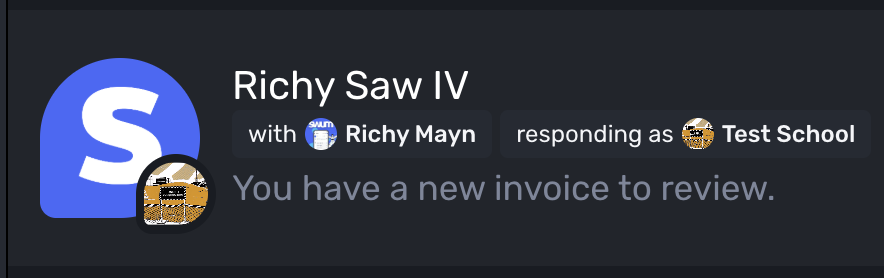
Expect 70-80% of families to re-book within the first week if the announcement is clear. Personally text or call the last few holdouts - they're usually your least-online families, not your least-loyal.
Phase 7: Sunset the old system
Once the parallel window closes:
- Take one final full export (things changed during parallel-run).
- Cancel in writing, and confirm the cancellation in writing - screenshots count.
- Update every booking link you've ever published (more below).
- Keep the archived exports for as long as your accountant and attorney advise - typically years.
The Traps That Actually Catch People
Annual contracts that auto-renew. Many legacy platforms renew for a full year unless you cancel 30-60 days before the renewal date. Find your renewal date today, before you plan anything else - it may dictate your timeline.
Data export paywalls and "export support fees." Some platforms make exports awkward or charge for full data dumps. Export while you're a customer in good standing; your leverage evaporates after you announce you're leaving.
Old booking links left alive. Your website's "Book Now" button, your Google Business Profile link, your Instagram bio, the QR code on your flyers, that mom-group Facebook post from 2024 - every one points at the old system. Inventory and update all of them in cutover week, or families will keep booking into a dead platform.
Subscriptions billing in both systems. If families had auto-billing on the old platform, confirm those subscriptions are cancelled the day their new ones activate. Double-charging a family once costs more goodwill than the entire migration.
Instructor adoption as an afterthought. If you run a team, your instructors see the new system before parents do. Walk them through their schedules and permissions in week one - a confused instructor on deck undoes your polished parent announcement.
Why the Destination Matters More Than the Move
A migration done into the wrong platform just schedules your next migration. Whatever you choose, demand: real parent self-booking, packages and subscriptions, digital waivers at booking, makeup-lesson handling, and per-instructor scheduling - the working definition of modern swim school software.
Swum's pitch for switchers is deliberately low-risk: the Standard plan is $0/month (23% total fees on payments), so you can rebuild your catalog, load credits, and test-book the entire flow before committing a dollar - and upgrade to Pro at $98/month with 5% total fees once volume justifies it. Larger schools can book a demo and walk through the migration with a human instead of a help doc.
FAQ
When is the best time to switch swim school software?
Between sessions - late August, early January, or late spring before the summer ramp. Give yourself a roughly 30-day runway and never attempt a switch during your peak registration month.
Will I lose families when I change booking software?
Schools that migrate between sessions, transfer credits before announcing, and send one clear benefits-focused announcement typically lose essentially no one. The families you'd lose to a planned migration are far fewer than the ones a frustrating booking experience loses you silently every month.
What data should I export before leaving my old swim software?
Export families and contacts, children and birthdates, credit and package balances, signed waiver PDFs, current schedules and rosters, 12-24 months of payment history, and progress notes - all while you still have full access. Saved card data generally cannot be exported; families re-enter cards at their first new booking.
What happens to unused lesson credits when I switch platforms?
They're liabilities you must honor. Export every family's balance, recreate the balances as credits in the new system before families log in, and lead your announcement with "your credits have transferred."
How long does a swim school software migration take?
Plan about 30 days end to end: one to two weeks to export, rebuild, and test; a week to announce and open booking; and a one-to-two-week parallel-run before sunsetting the old system. Hands-on time is typically 10-20 hours for a small or mid-size school.
Do families need to sign waivers again on the new platform?
Yes - archive your old signed waivers for liability purposes, then collect a fresh signature digitally at each family's first booking on the new system. Platforms that gate booking on a signed waiver make this automatic.
Ready to stop paying the inertia tax? Create your free Swum account and rebuild your catalog risk-free on the $0/month Standard plan - or book a demo and plan your migration with a human.