Hello everyone! As we continue to refine the product, improve reliability, and make Swum the premier scheduling solution, we wanted to give you an overview of all the new features we've added to the platform for June.
Without further ado, let's get started:
1. Yearly Registration Fee
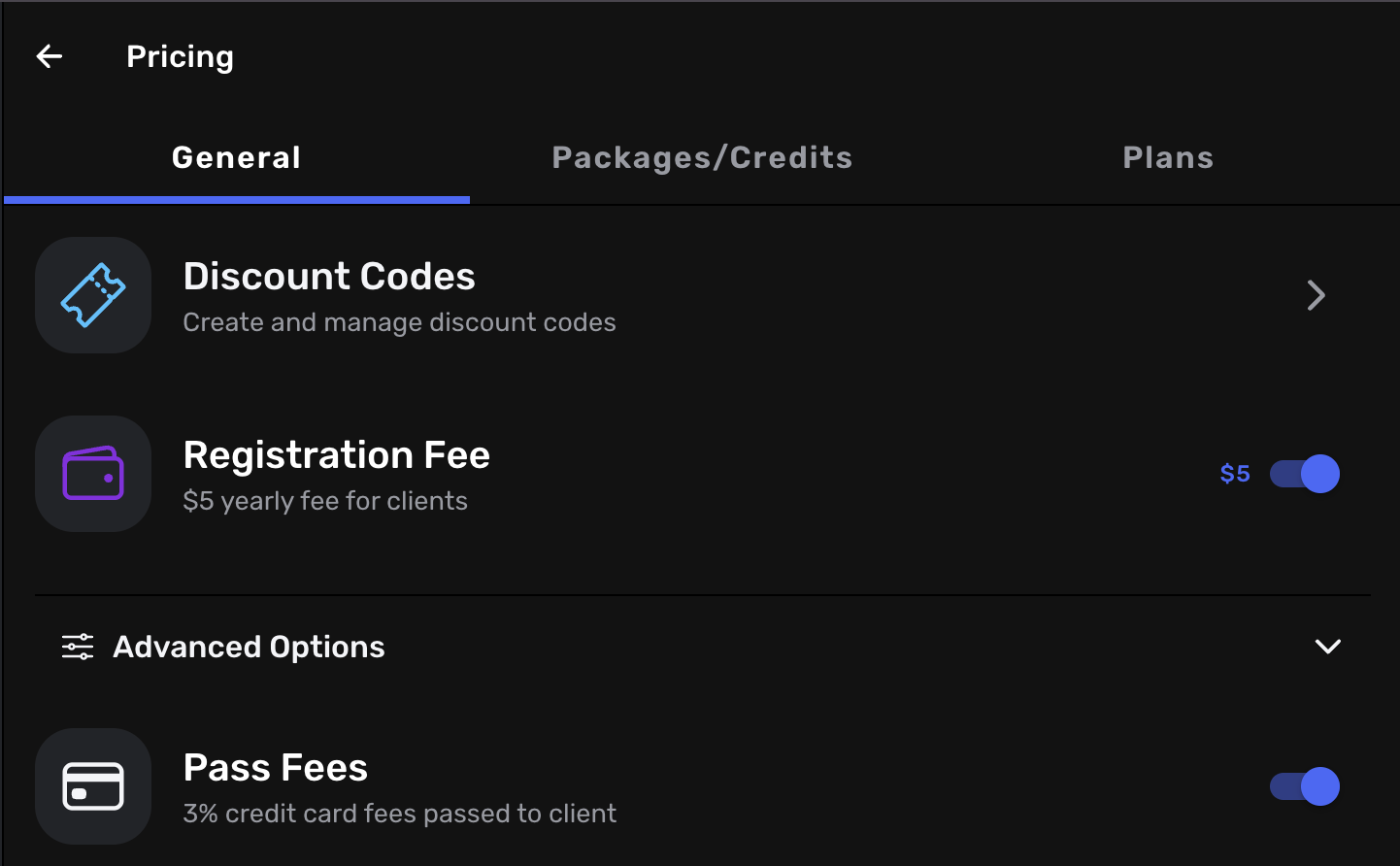
Access: Settings → Pricing → General → Yearly Fee
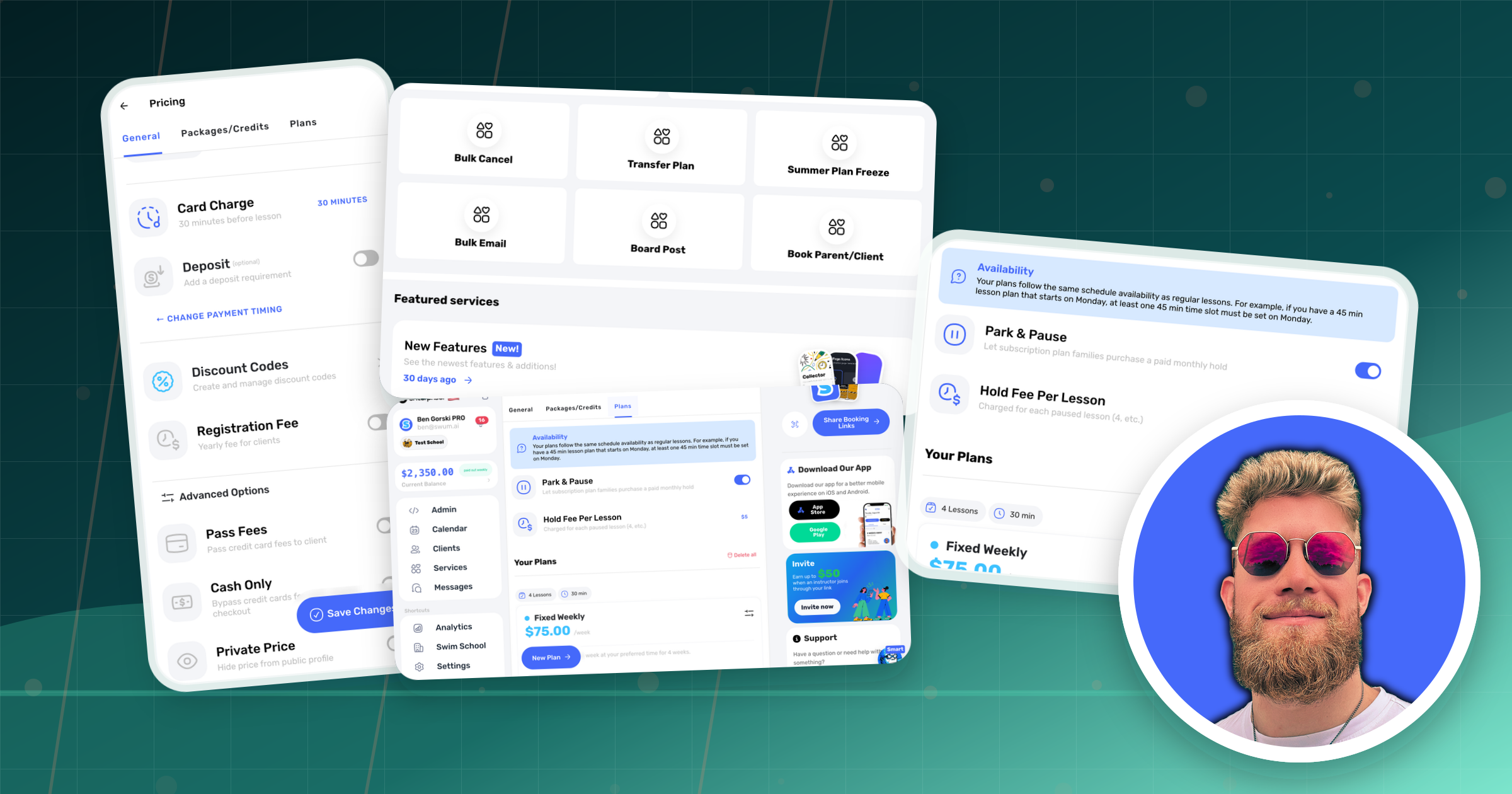
You can now set a yearly registration fee for every client. This will be a one-time charge each year for every client that will be credited to your account. You can set the price and control at any time whether to toggle it on or off. Note that if you do toggle it on, existing clients in Swum will have to pay it.
2. Improved Notification Controls
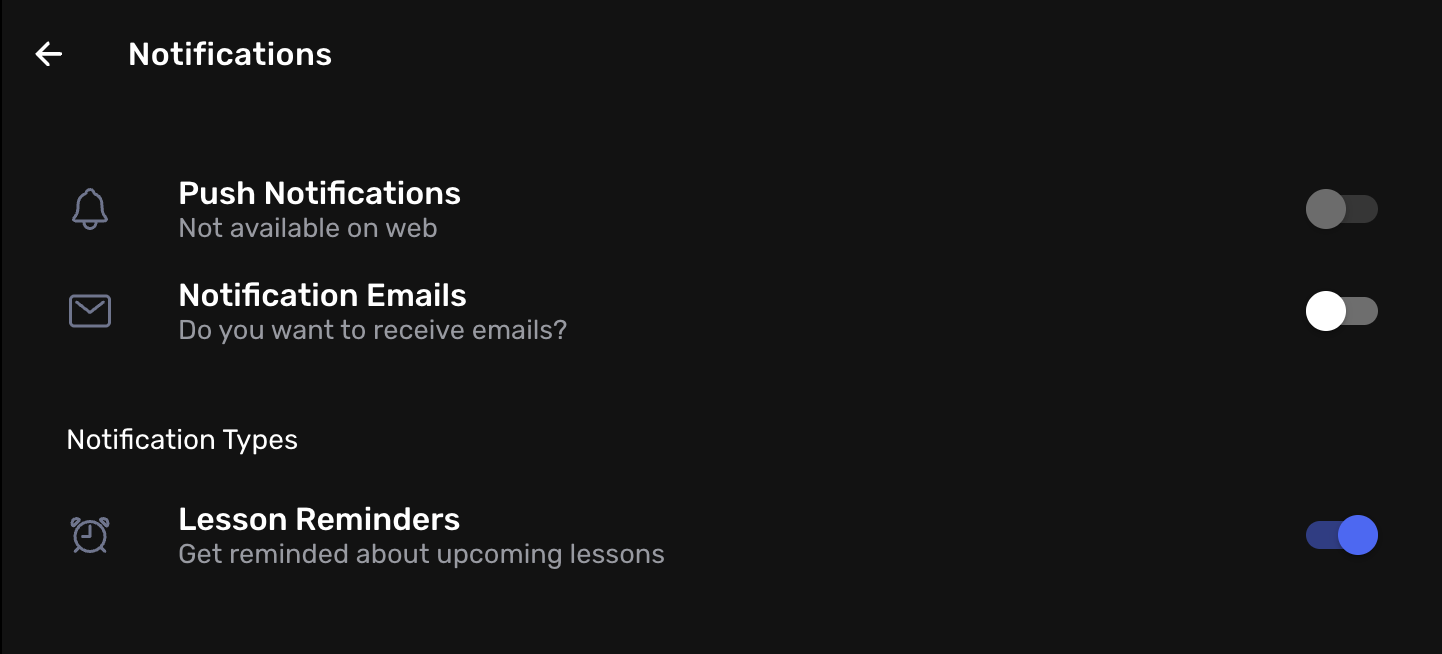
We fixed a pesky bug that kept turning on your notification controls after you had toggled them off! Not only that, but we also added improved granular control over which notifications you would like to receive. You can now keep your notifications on, but turn off lesson reminder notifications.
This is just the first step in our notification improvements and we will continue to build out other specific controls in the near future!
3. Improved Cancellation Controls
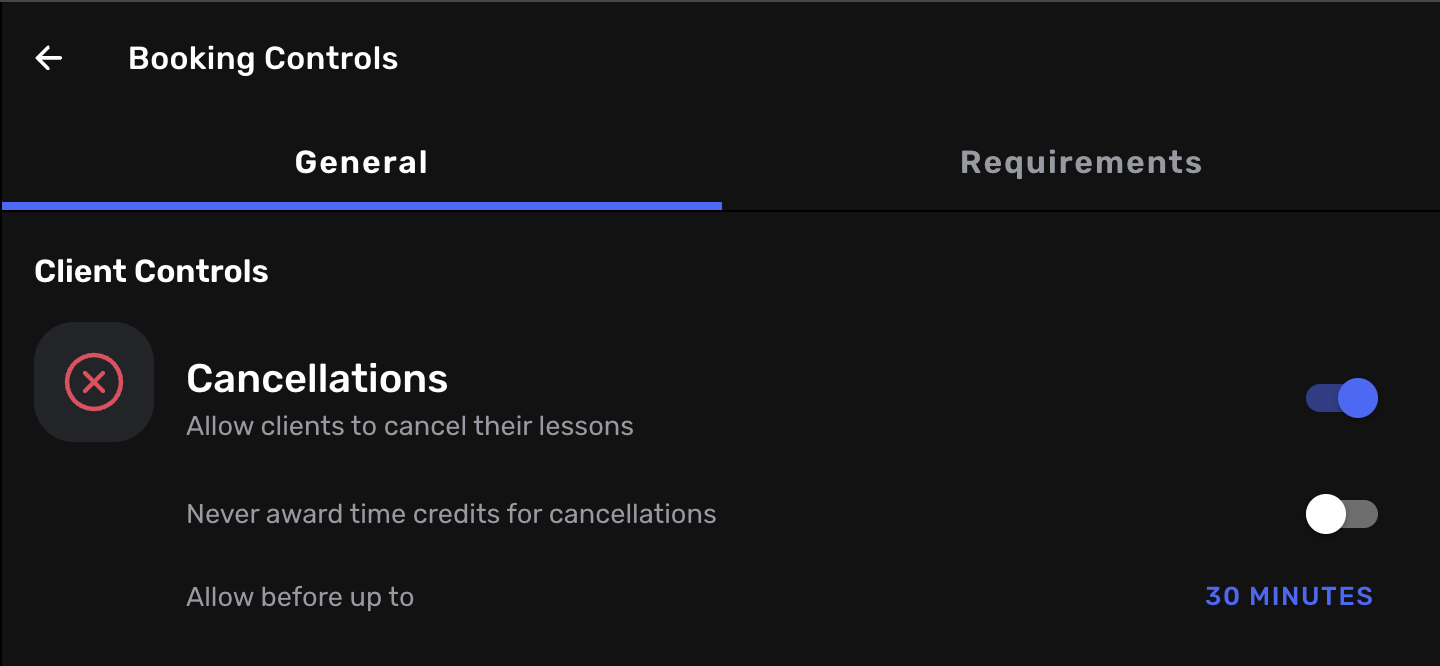
Access: Settings → Booking Controls → General → Cancellations
We added a new toggle for your cancellations that allows you to default to NEVER awarding credits when clients cancel, even if they have paid for the lesson. Of course, as the instructor, you always have the control to override this when you cancel and award them time credits.
This will give you complete control over who is receiving time credits when cancelling lessons.
4. Easier Way to See Rescheduled Lessons
Rescheduled lessons now appear on your calendar as 'Rescheduled' so you can determine which ones were the original lessons, and which ones are the rescheduled ones.
5. New Discount Code Features
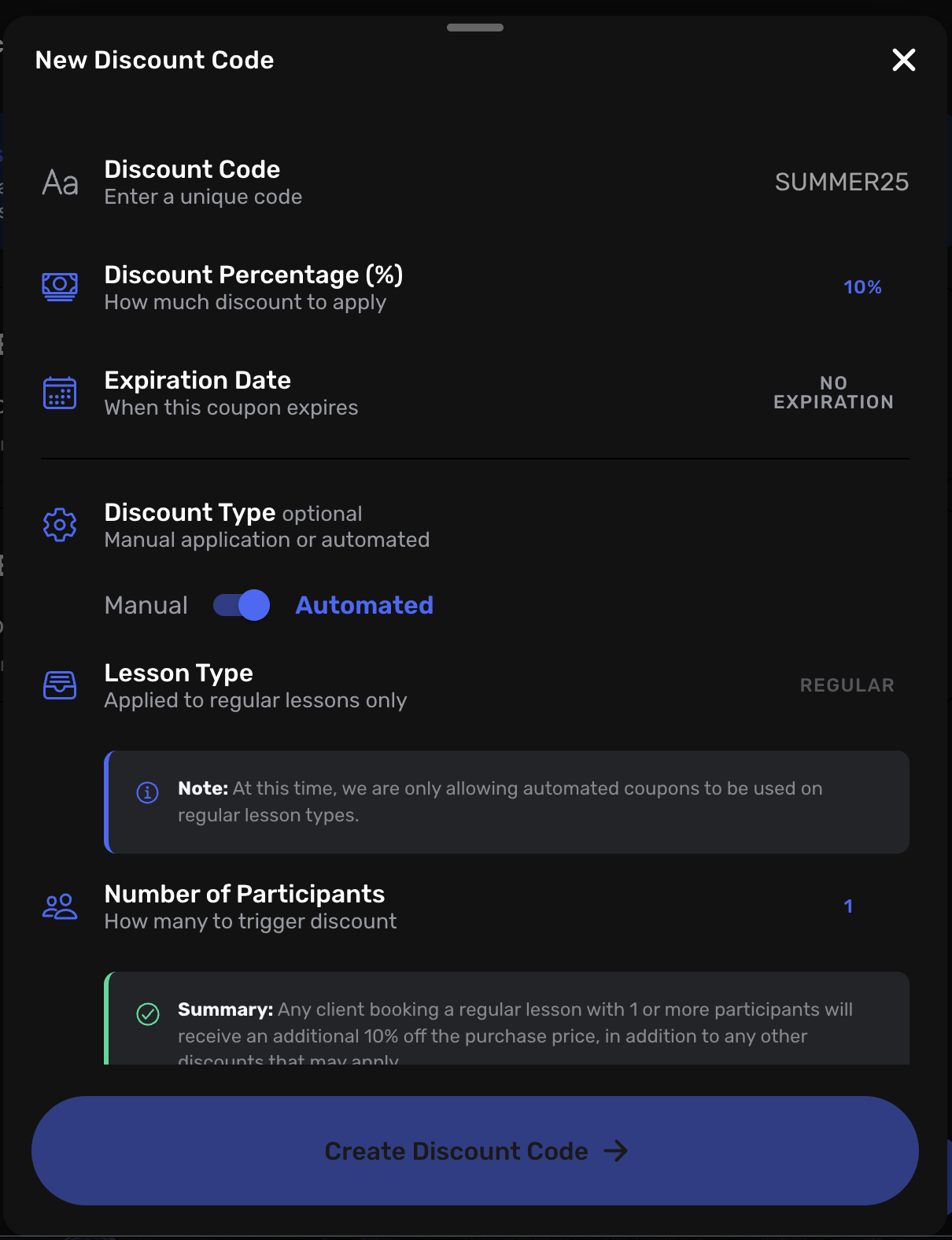
Access: Settings → Pricing → General → Discount Codes
We added more flexibility and functionality to discount codes. Let us explain:
You now have the option to fine-tune discount codes to your needs. Here are the extra features we have added:
1. Expiration Date
Discount codes can now be set to expire by a certain date or they can be set to never expire.
2. Discount Type
- Manual: Code must be entered by the client
- Automatic: Discount is applied automatically for regular lessons when the number of participants is met, such as a multi-participant code for families with 2 kids in one lesson
3. Maximum Uses
- Single use: Expires after one use
- Unlimited: Can be used as many times as the client wants!
Discount codes can also now be increased up to 99% off, but beware as this may cause the booking to fail if the total price falls below $0.50.
This means that discount codes can be stacked on top of your already existing multi-participant discount to give steep discounts to families who bring more than one participant to the lesson!
These new features now allow you to control exactly how you want the discount codes to be applied and work.
6. New Location Controls
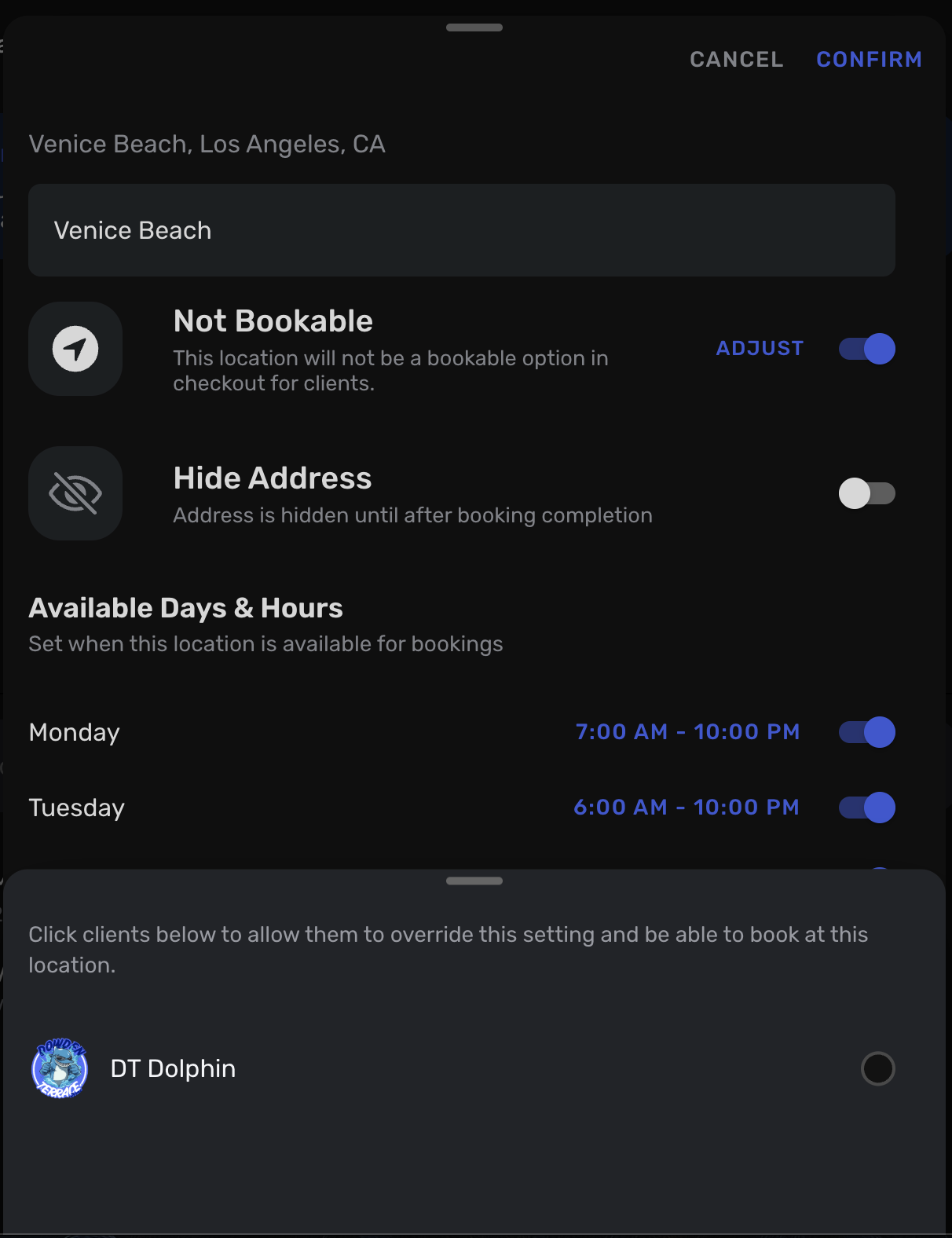
Access: Settings → Locations → Swipe Left on Location → Not Bookable → Adjust
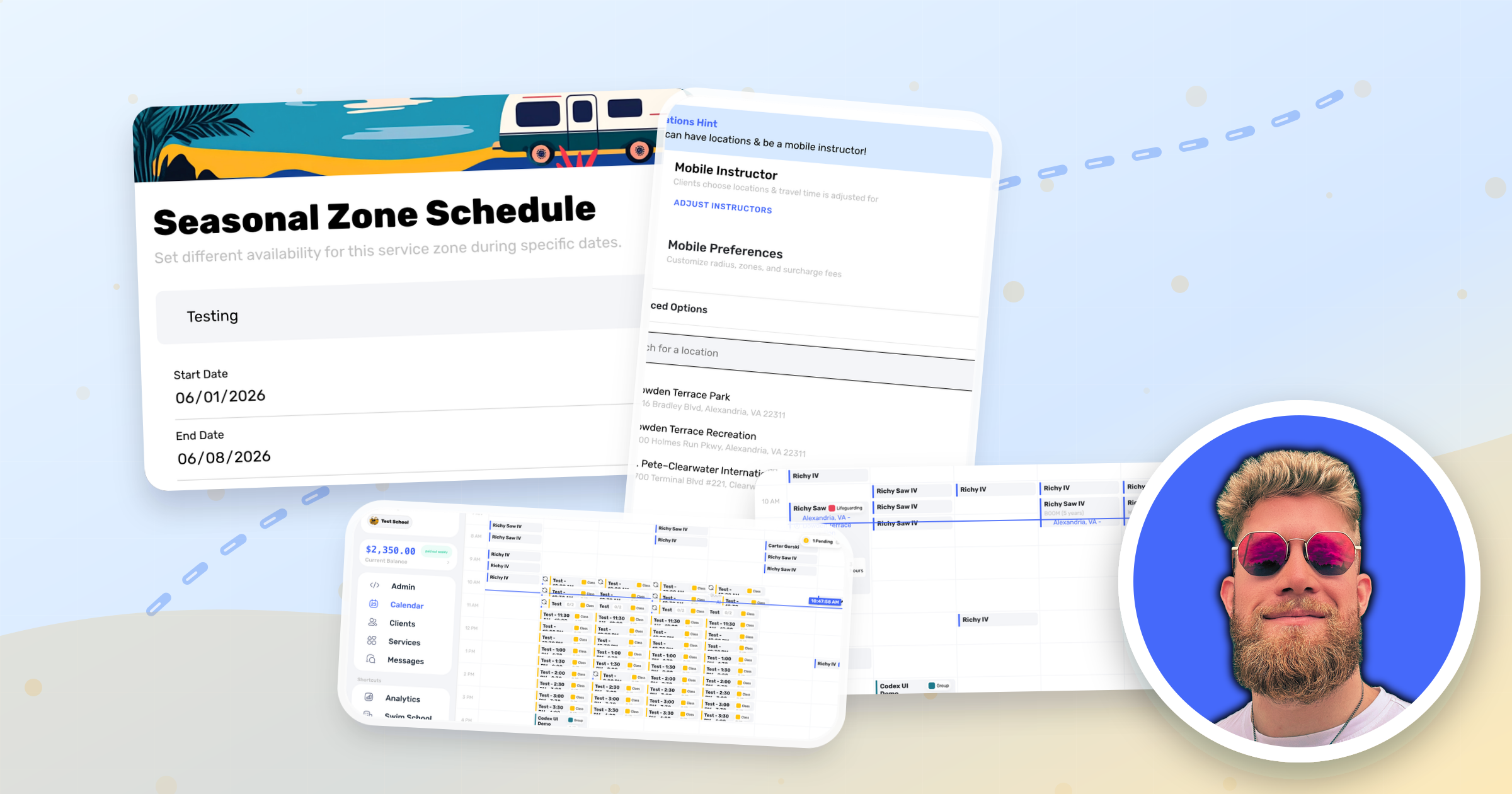
You can now set a location to be not bookable (which we previously had only on primary locations) but it can now be applied to any location. When enabled, it prevents the location from being booked by everyone by default. However, you can go in and adjust to override the location to open it up to certain clients.
This will allow you to control exactly who has access to the location.
7. Time Slot Credit Availability
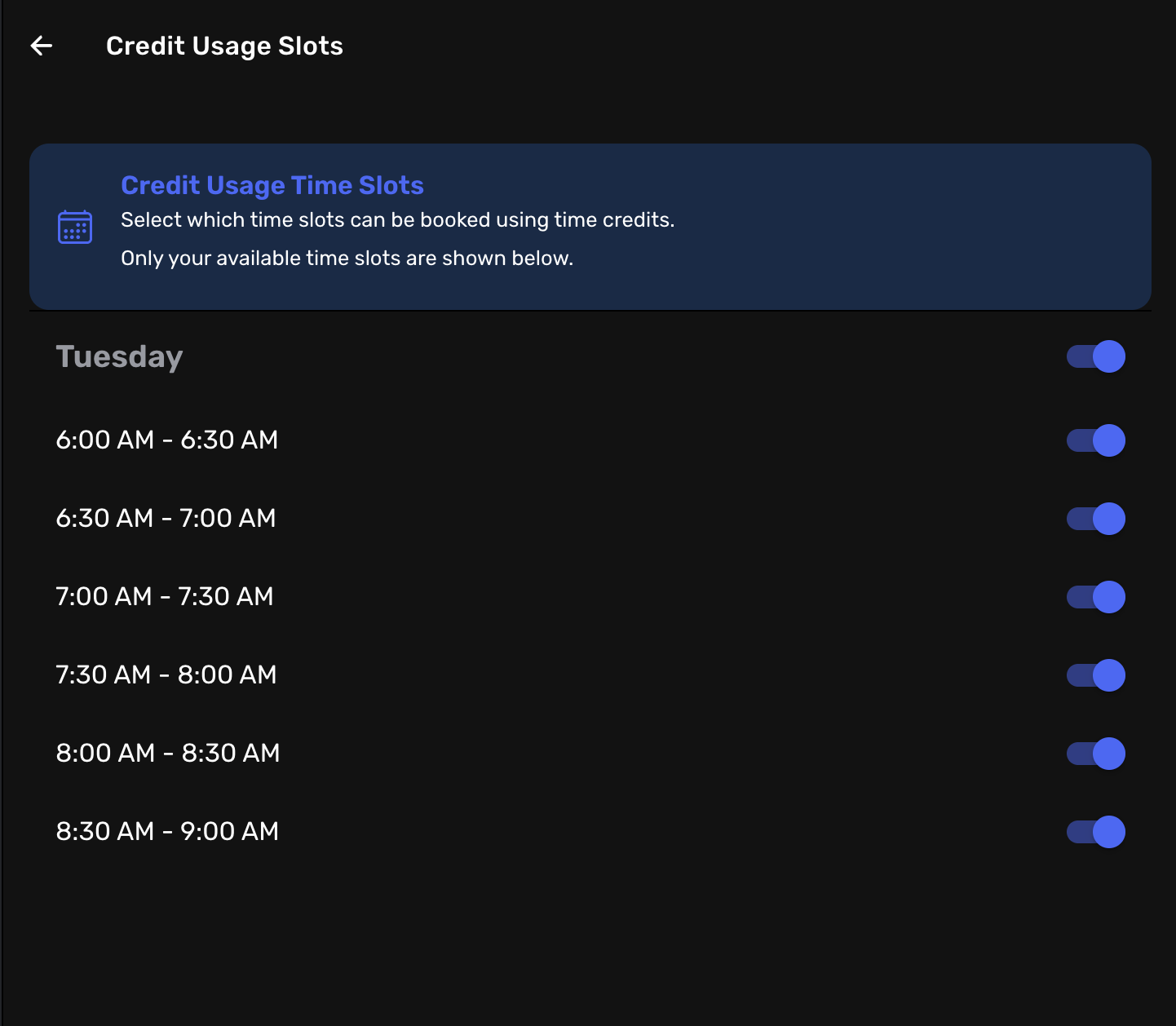
Access: Settings → Pricing → Packages/Credits → Choosable Timeslots
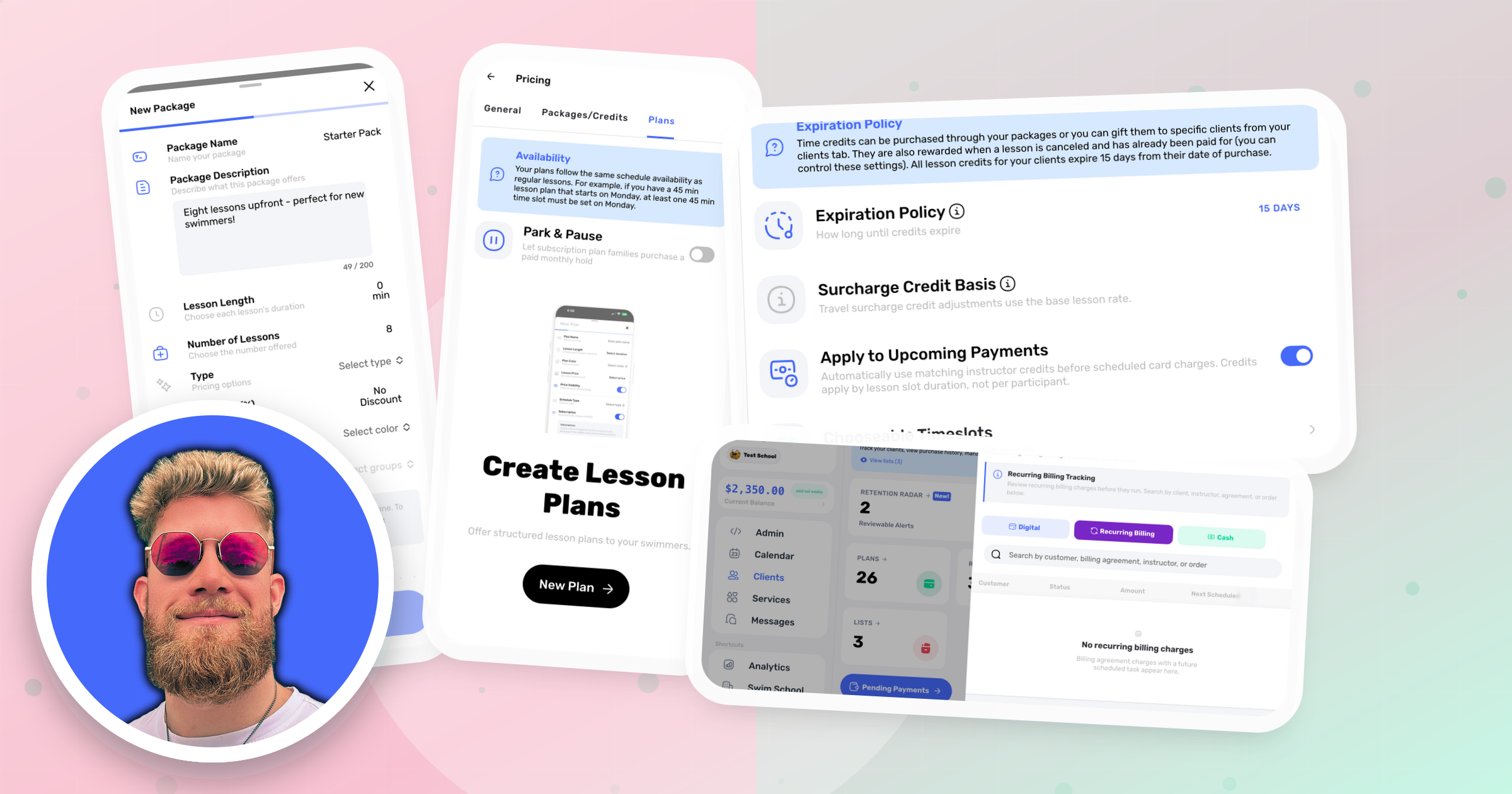
If you want to control which time slots credits can be used on, look no further than here. With these settings, you can prevent time slots from being accessible to those who are using time credits.
For example, let's say your schedule is open Monday-Saturday, but you only want users to have access to use time credits on Saturday. You can go into this setting and toggle off all the days except Saturday.
Additionally, you can get even more granular, toggling off just certain slots on a day instead of toggling off the entire day.
8. Minimum Booking Notice Required
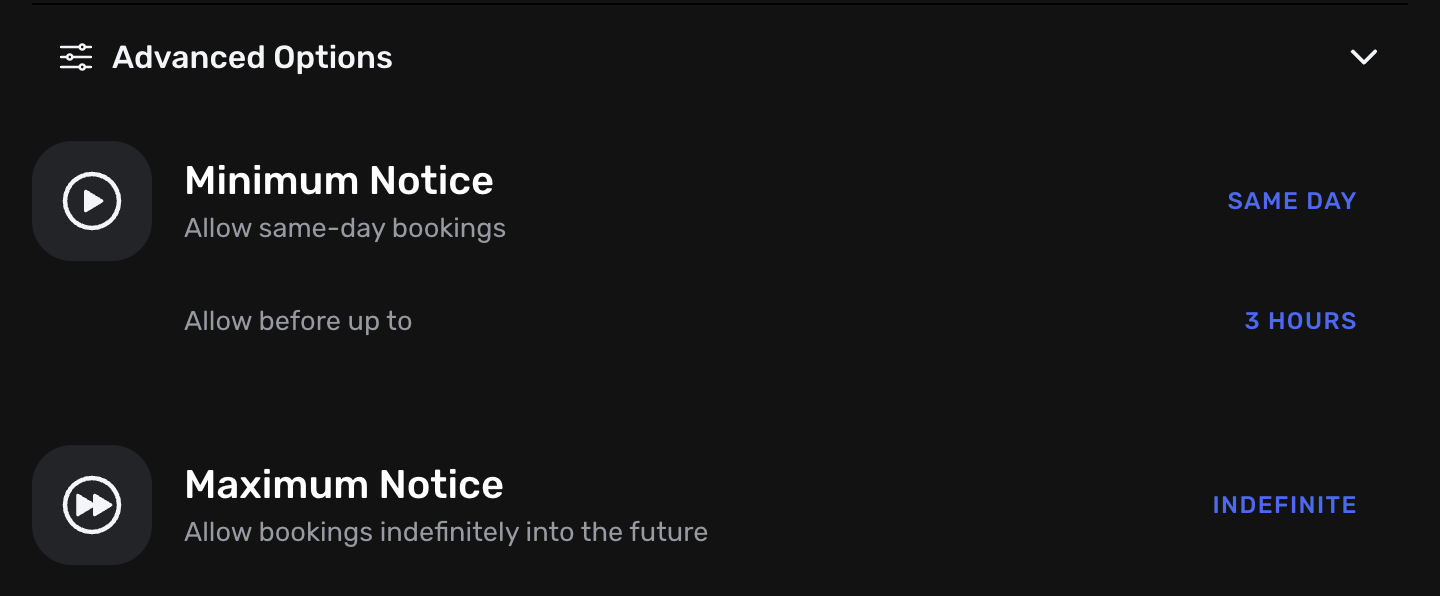
Access: Settings → Availability → Advanced Options → Minimum Notice
You have access to control how many days notice are needed when someone is booking a lesson. For instance, if today is Monday, they cannot book until at least Tuesday to give you ample preparation time.
In addition, you can set it to the same day and control how many hours in advance you need, such as 3 hours.
9. Pending Invoice Lessons
These can now also be rescheduled and you can also switch the instructor when needed.
10. Optional Waivers
We've expanded on our fantastic waiver integration. Waivers can now be optional, making them not required to sign but optional, such as a media release form.
11. Increased Buffer Time
Access: Settings → Availability → Advanced Options → Time Buffer
Buffer time has been increased up to 30 minutes between lessons.
12. Plan Minimum Participant Count
You can now add a minimum number of participants from a single client needed in order to access a plan. This would be useful if you wanted to create a plan just for 2 or more students from a single family, and do not want it accessible by clients who only have 1 kid. With this, it will make them unable to accidentally choose that plan.
13. Participant Gating for Packages
Just like with plans, you can now set which participant groups have access to which packages. If you want to offer a certain package to ages 10 & up, for example.
14. School Controls - Manually Clear Earnings
We have now given you the option for when you have the contractor payouts set to manual, you can go into each contractor's profile and clear their earnings without paying them. This is handy for school owners who might run their lessons through Swum, but choose not to do payroll through it. Since we track their earnings, you can clear them at any time to signify you have paid them elsewhere.
15. Better Client Organization
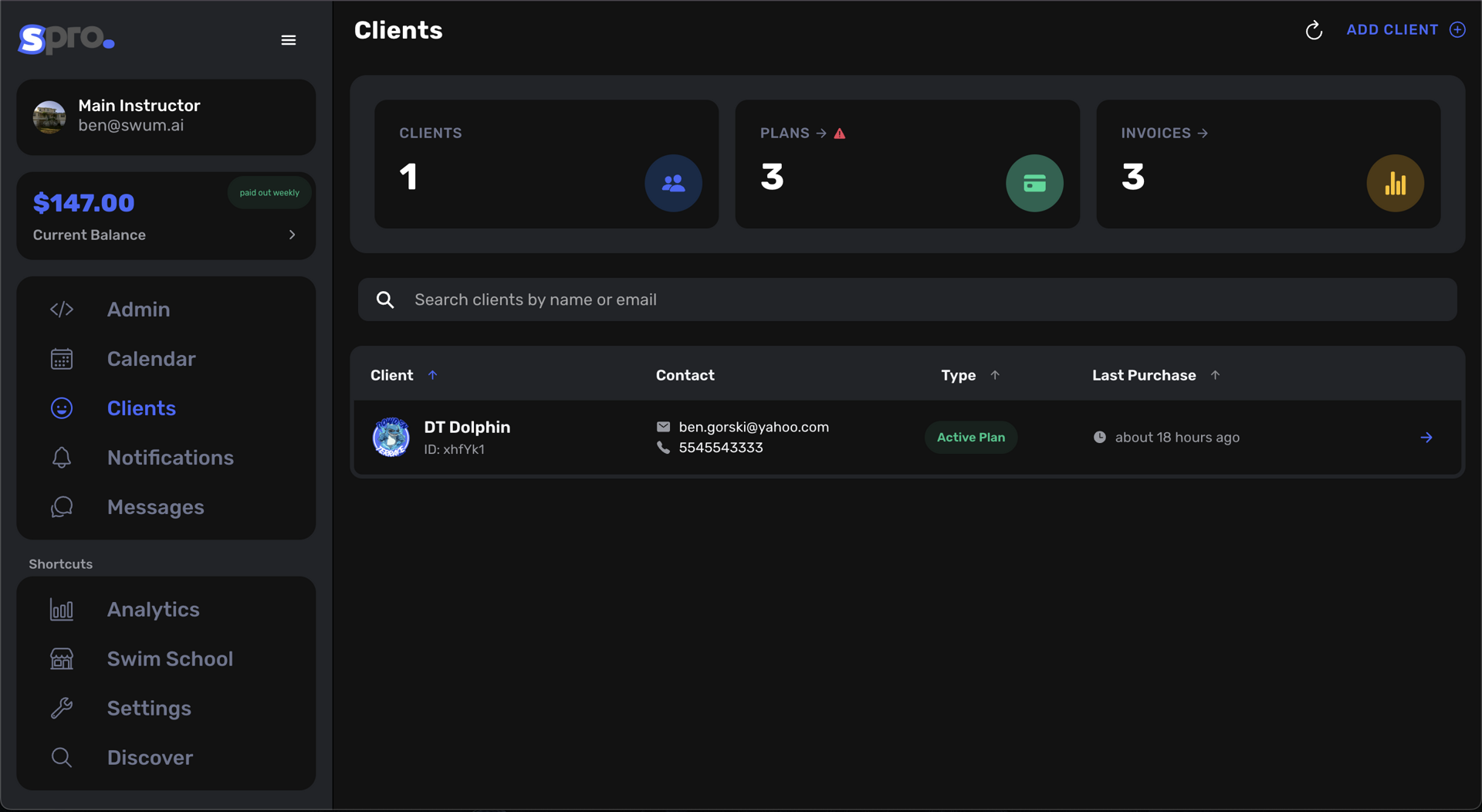
We have completely redesigned our client tab to be more user-friendly! You can now easily see all your clients, your plans and invoices (if you have any), and more easily control your clients.
For example, we now have purchase history for each client!
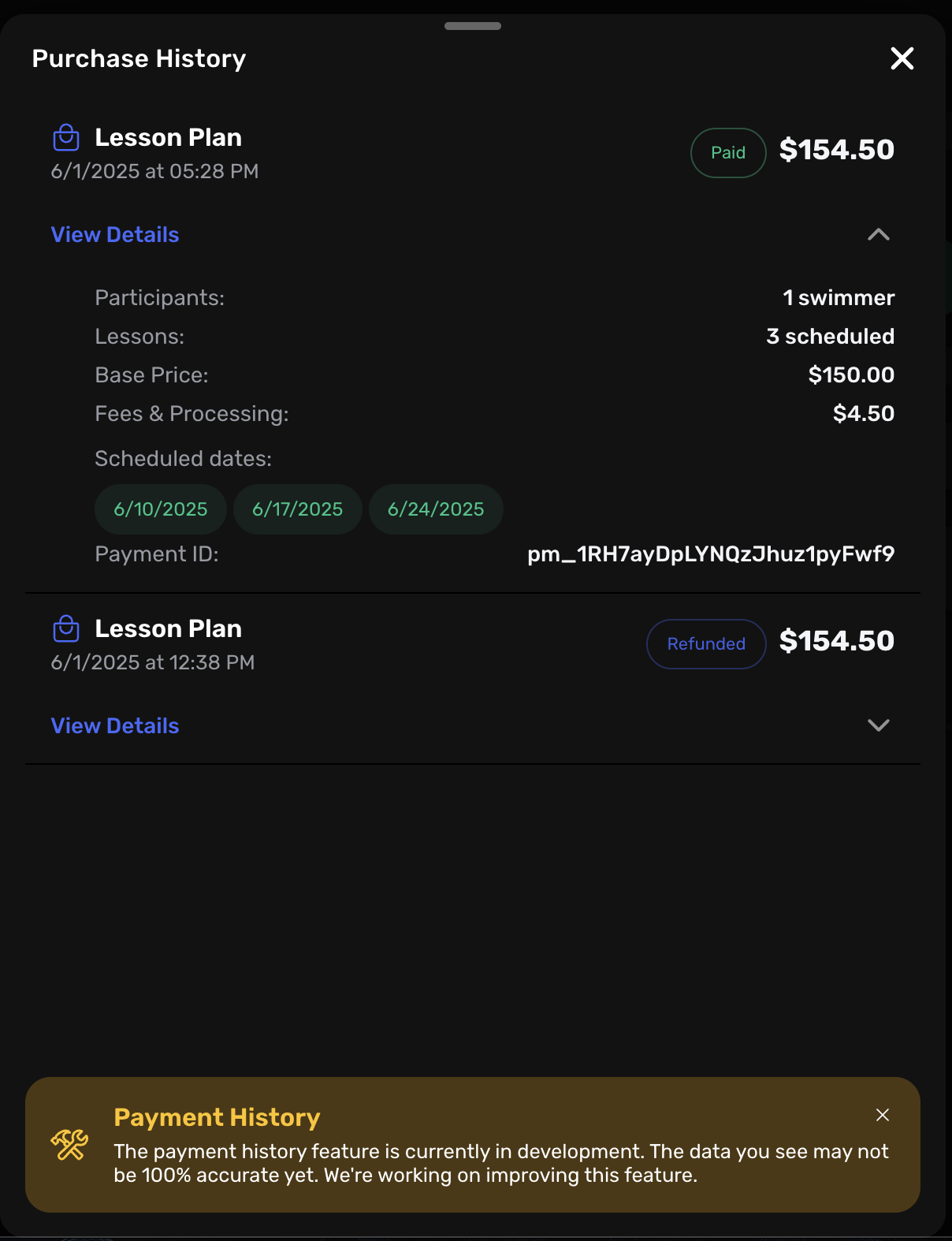
You can click on any client and see their purchase history and the breakdown of their purchase, such as what discounts were applied, etc.
16. More Plan Editing Capability
You now have a lot more control when it comes to editing a plan. You can edit the instructor, the days, the time, and even award them credits yourself.
Remember, credits allow you to grant them a lesson for free. For example, let's say for the month of July they have 4 lessons that are planned to be created. If you award them a credit, then we will still create those 4 lessons, but only charge them for 3. This would be handy if you had to cancel a lesson in June that they already paid for and did not want to award them time credits to use, but instead award them a lesson credit towards next month's plan renewal.
17. Semi-Private Plans!
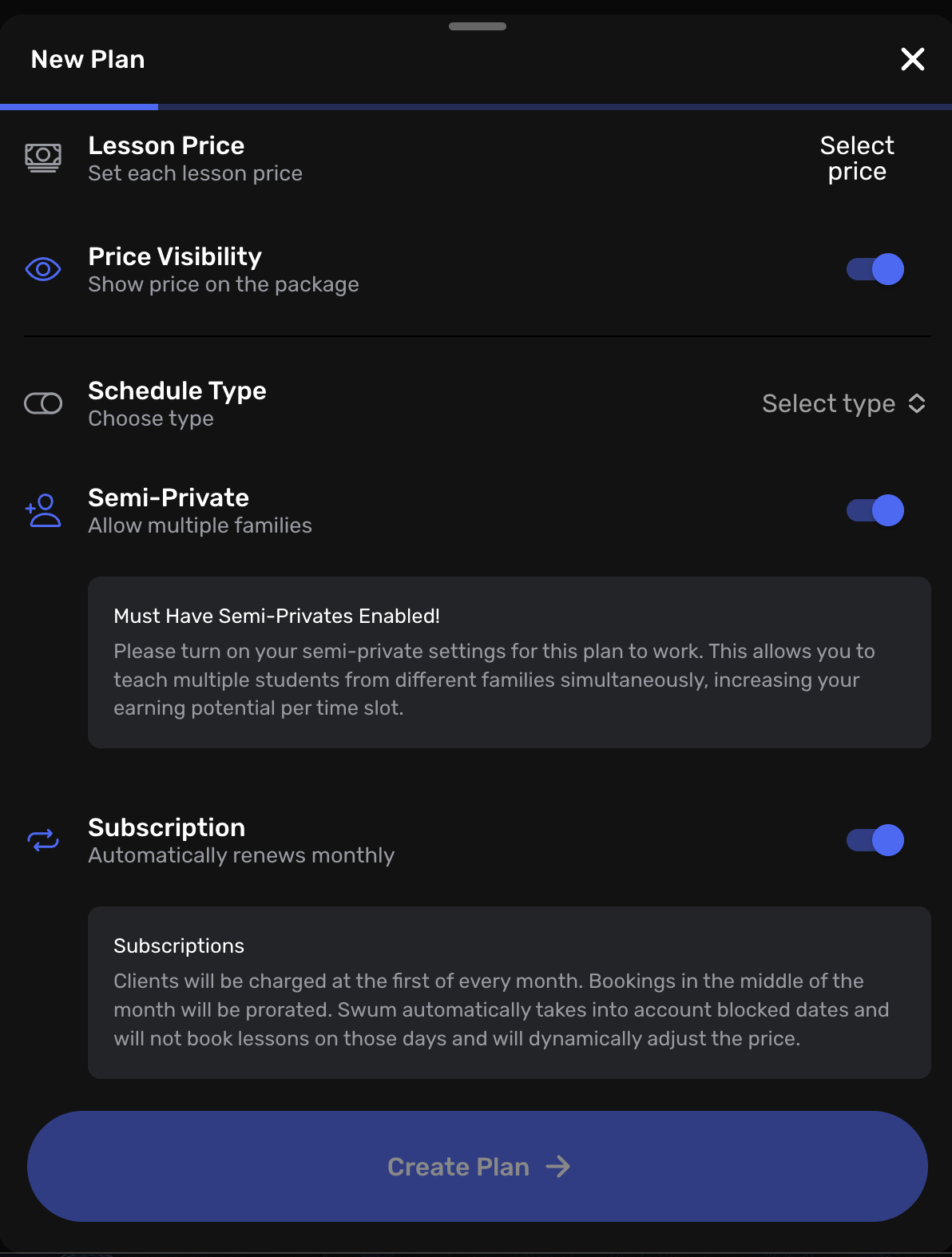
Plans can now be designated as a semi-private plan. This will allow multiple plans to be booked in the same time slot from multiple clients. This is a huge feature that will allow you to have access to all the plan functionality, but now fit in more than 1 student per time slot.
You still get to control the number of students you allow per slot, and when those time slots are offered. Remember, semi-private plans will only be accessible on time slots that you designate as semi-private slots.
We will automatically close those slots when the number you allow is reached, such as up to 3 participants per time slot.
Wrapping Up
This was a HUGE update! We hope all these features will bring added value to your swim lesson business!
If you have any questions, please reach out to us at support@swum.ai.
Ready to experience these new features? Log into your Swum dashboard and start exploring these powerful new tools today!