After the May release, we kept shipping. This early-June update adds 26 more improvements across the workflows swim schools touch every day: subscriptions, scheduled payments, billing, lesson changes, calendar visibility, client organization, class roll-forward, discount codes, and media submissions.
Here is what is new in early June.
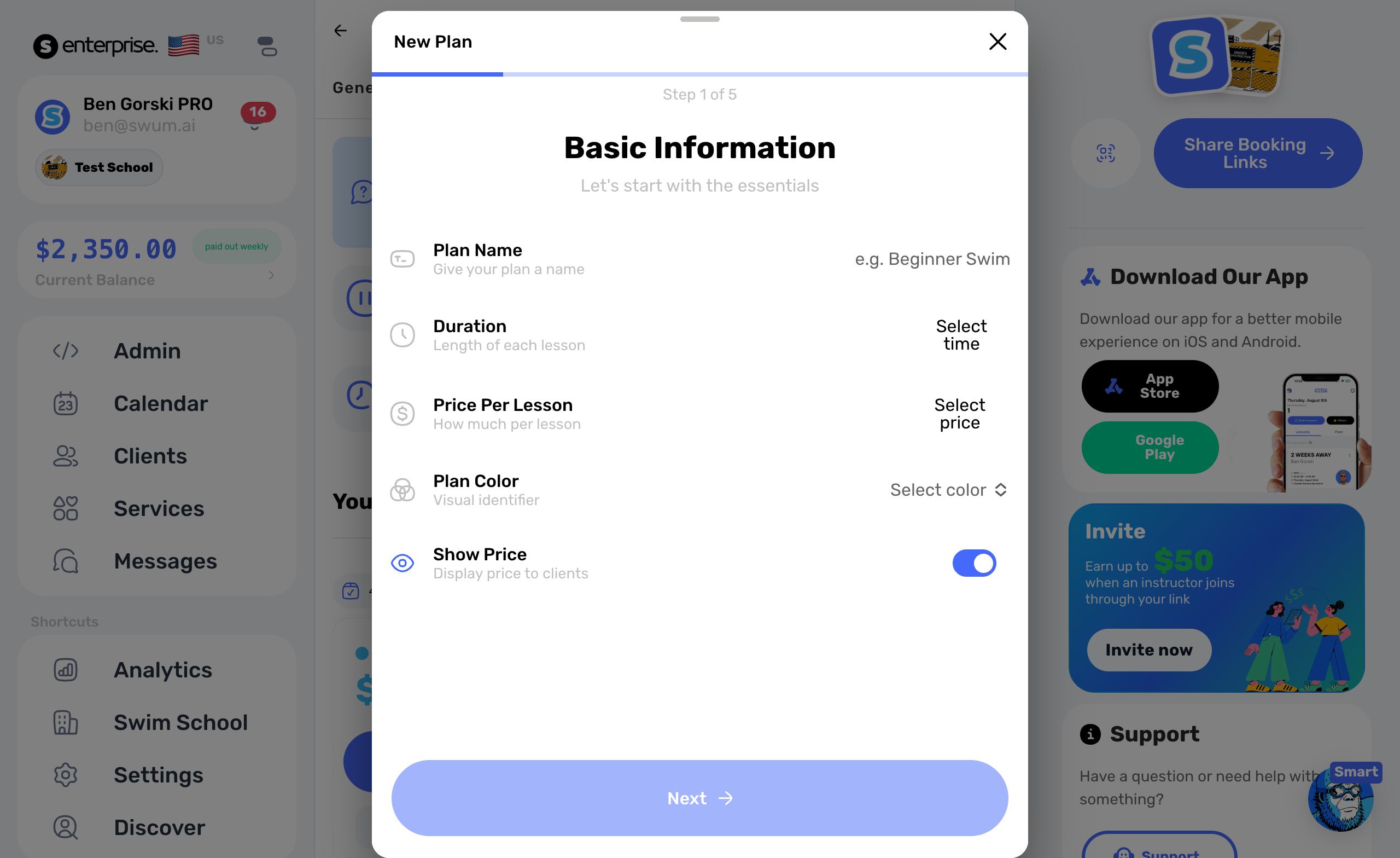
1. Create Subscription Plans Manually
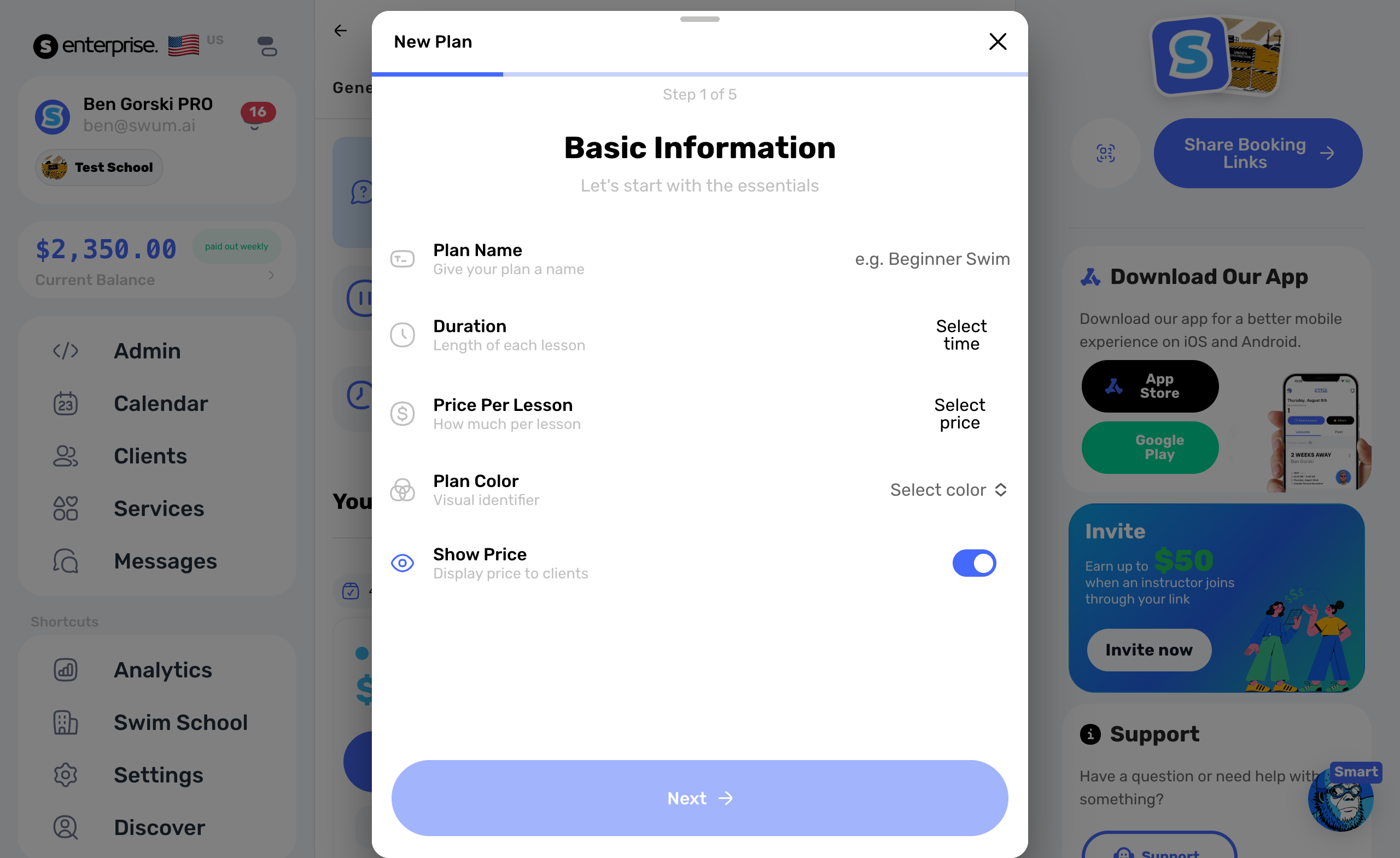
Access: Pricing -> Plans
Coaches can now create subscription plans manually from the coach side. This is useful when a family already has an agreed schedule or pricing setup and the coach needs to enter the plan directly instead of sending the family through a full checkout flow.
2. Set Calendar Start and End Hours
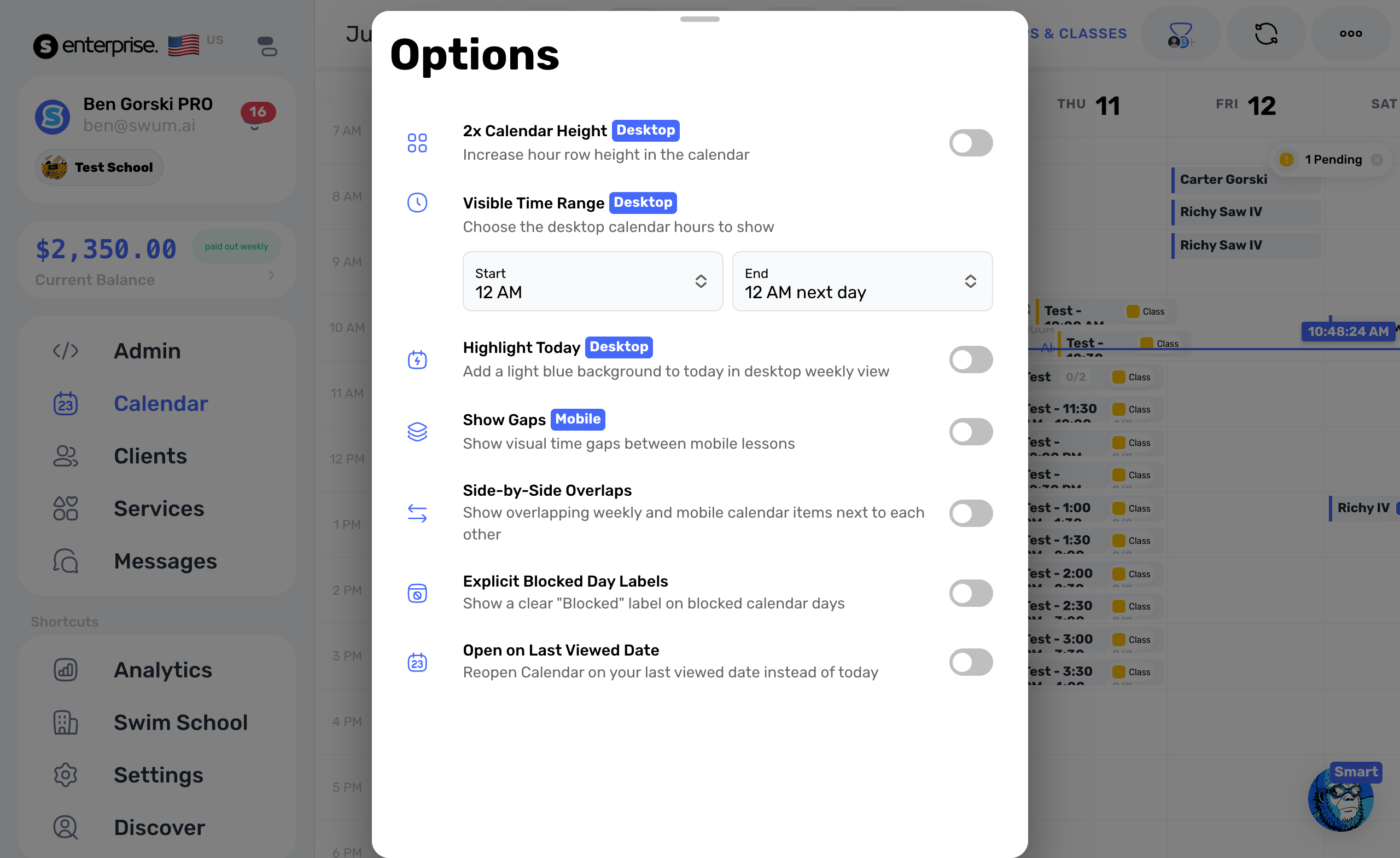
Access: Calendar -> Options
Calendar views can now use a focused visible start and end time instead of always showing a full 24-hour day. Teams can keep the calendar centered on teaching hours, making busy schedules easier to scan.
3. Cancel Past Lessons
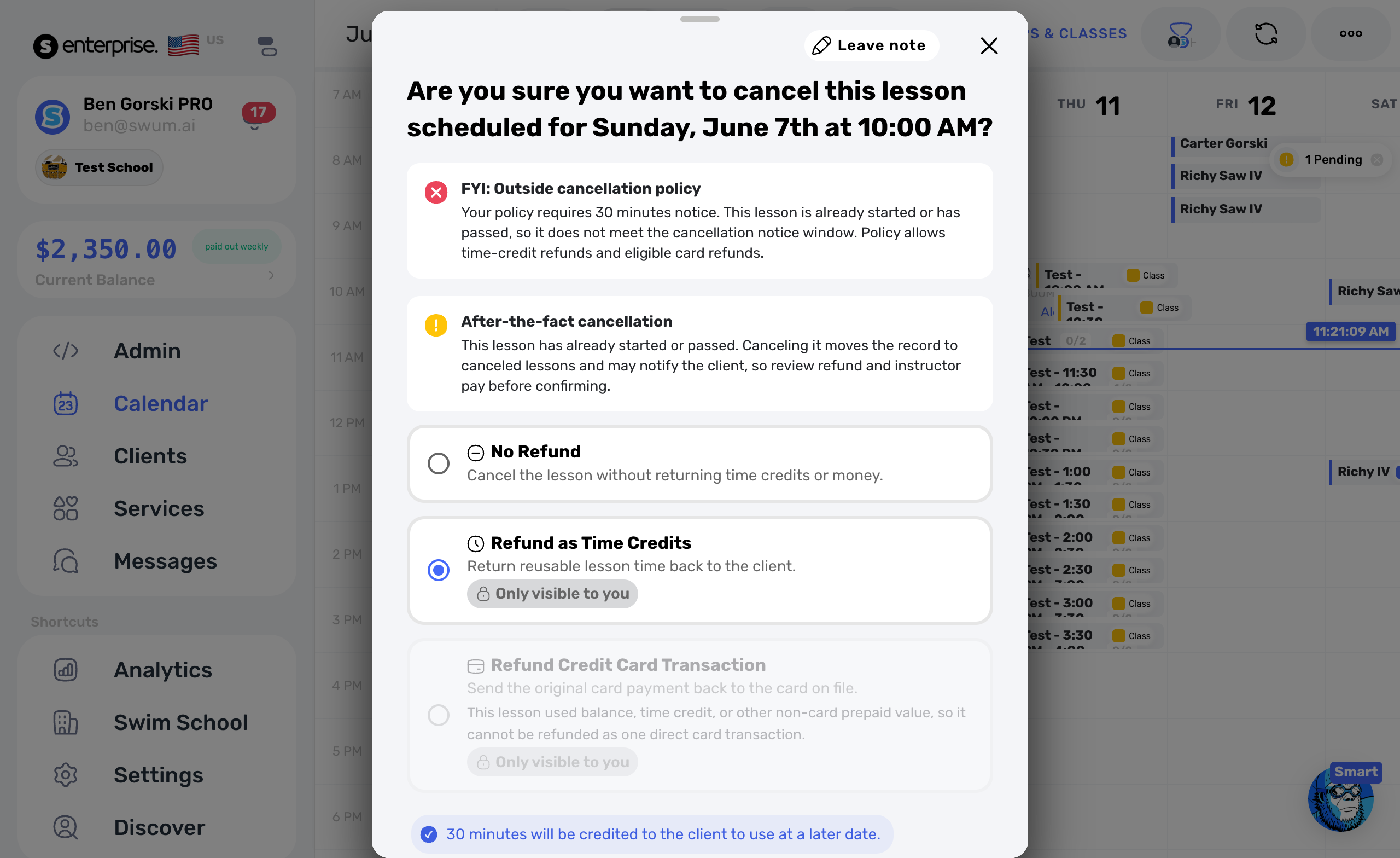
Access: Lesson modal
Past lessons can now be canceled when a completed or missed lesson needs to be corrected after the scheduled time has already passed. This gives coaches a cleaner cleanup path when the calendar needs to match what actually happened.
4. Send Mass Emails to More Clients
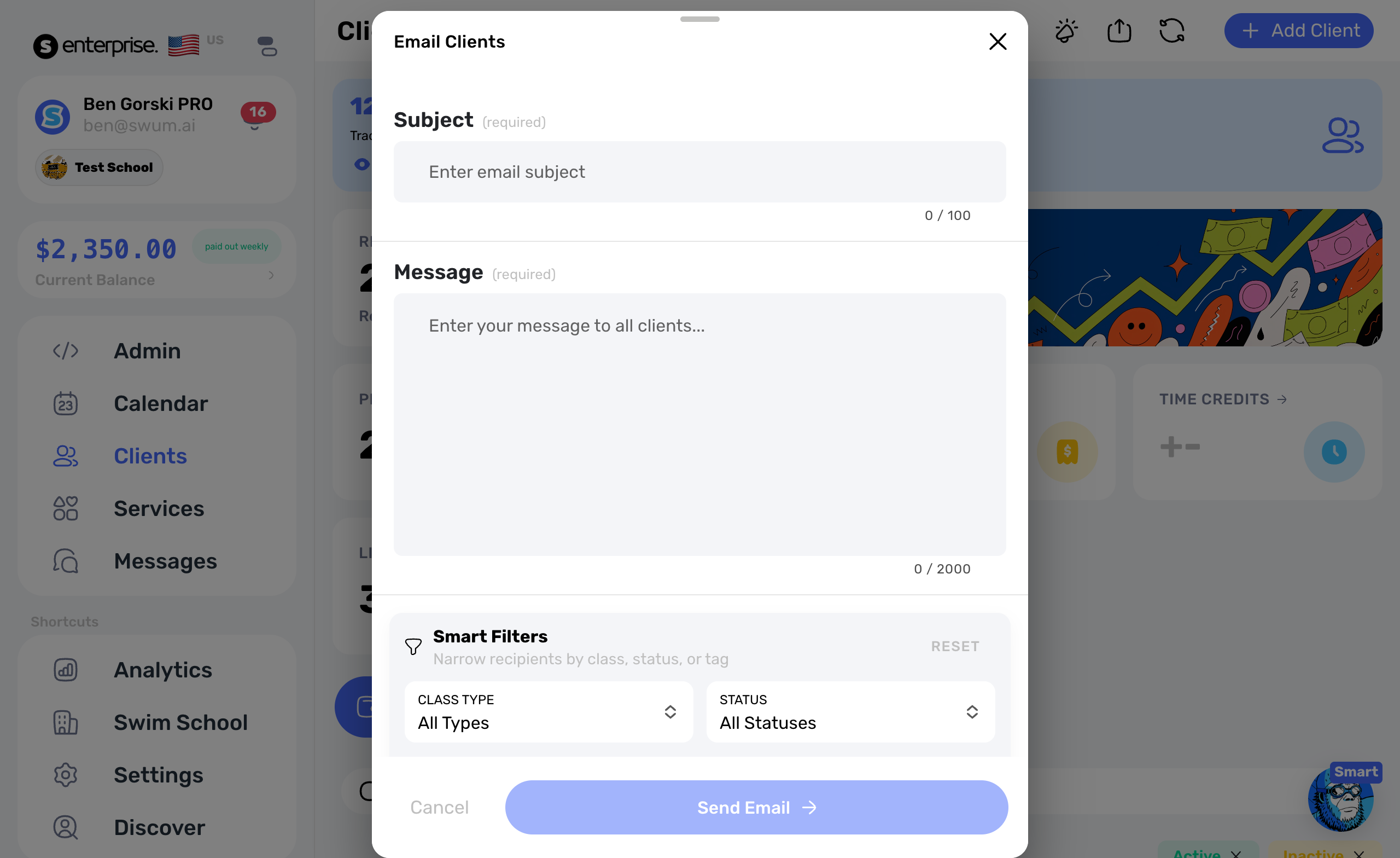
Access: Clients -> Mass Email
Mass email sending now supports up to 1,000 recipients, up from the previous 100-recipient limit. Larger swim schools can send broader announcements without splitting one message into several smaller batches.
5. Set Minimum Reschedule Notice
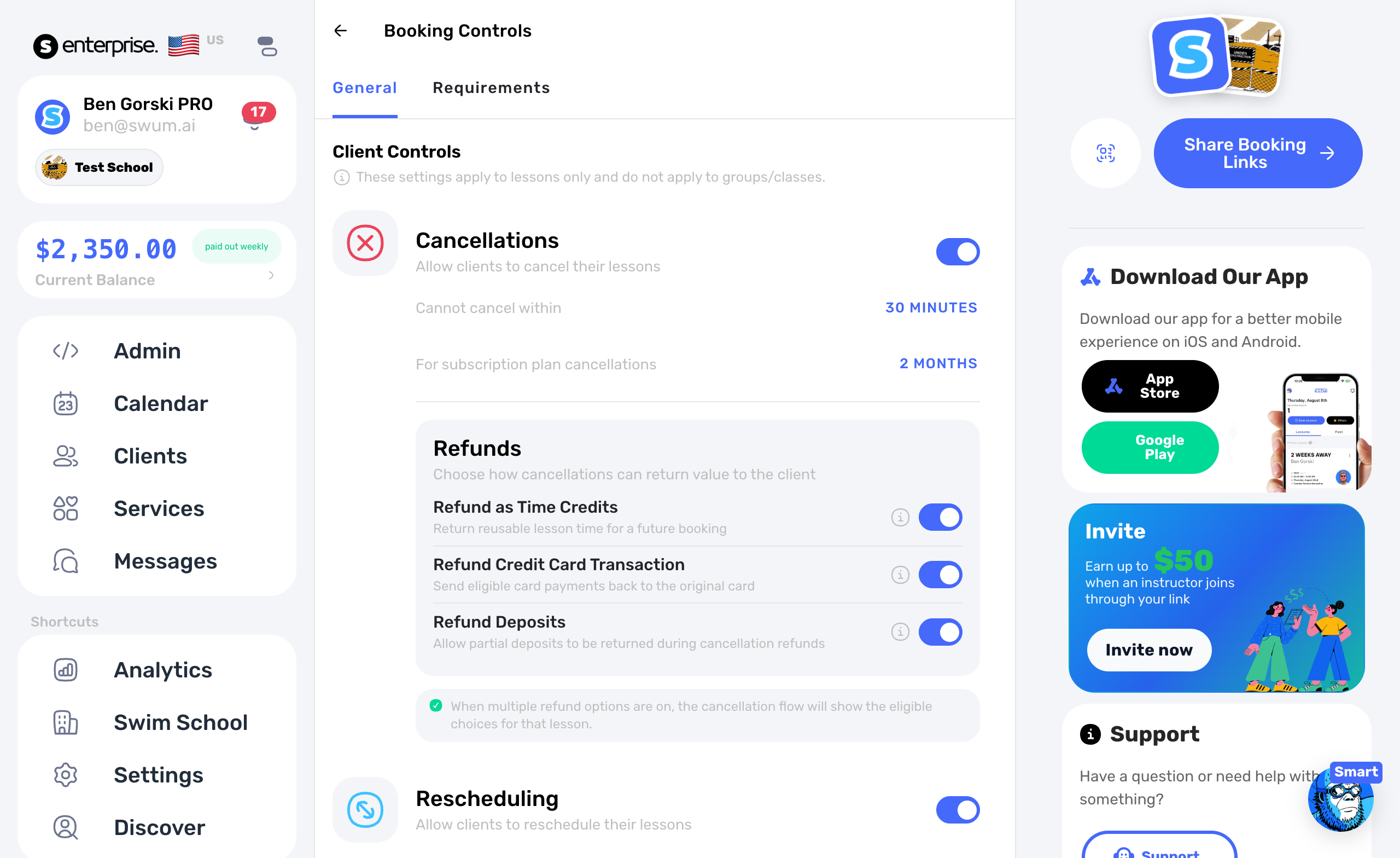
Access: Settings -> Booking Controls
Booking Controls now lets coaches set how far in advance clients must reschedule. This protects the schedule from last-minute movement while keeping the policy configurable for each business.
6. Lock Clients to Their Original Zone
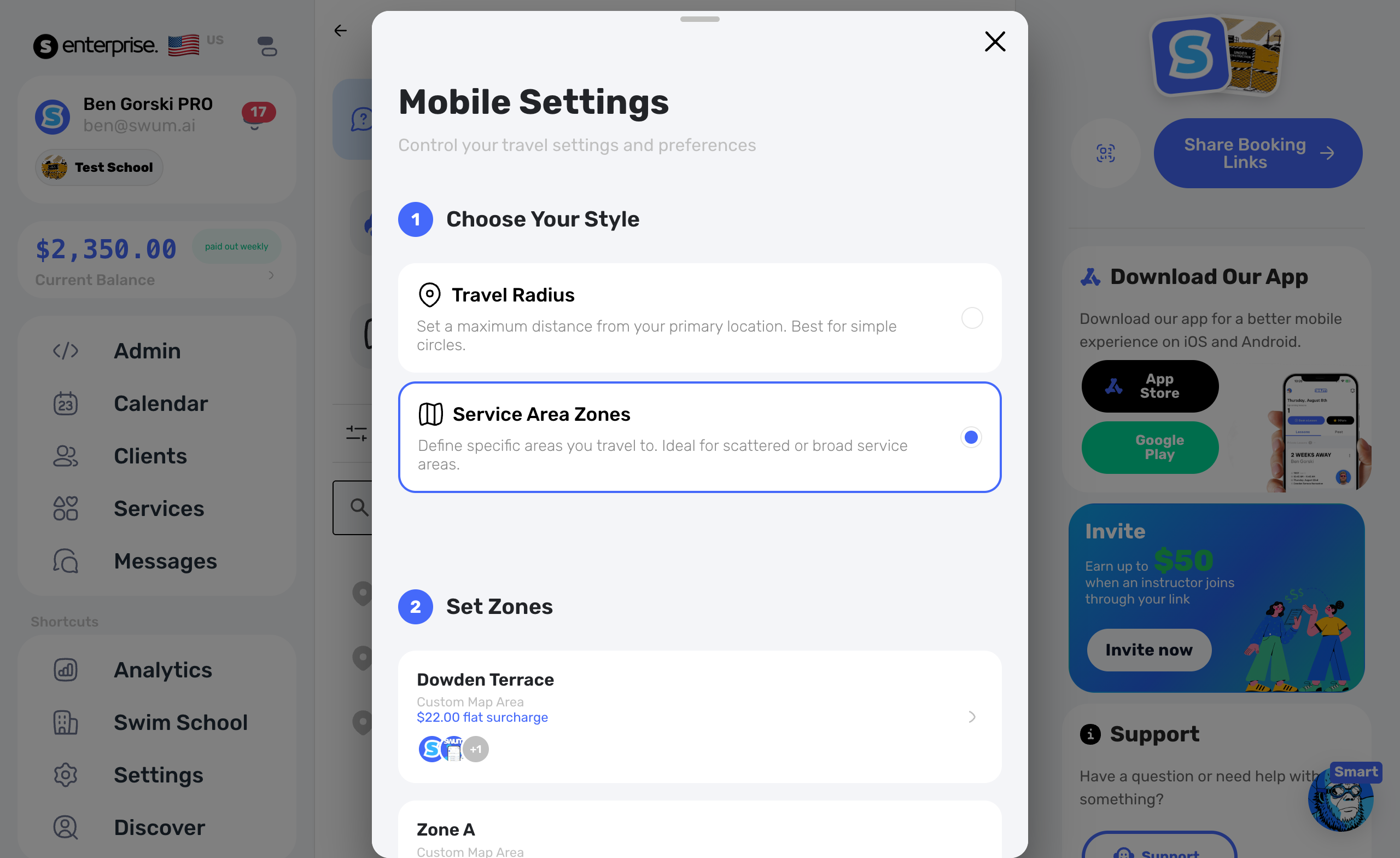
Access: Settings -> Locations -> Travel Boundaries
Travel-zone settings can now keep clients tied to their original zone when booking. This helps mobile teams keep routing, pricing, staffing, and coverage aligned with the client's assigned service area.
7. Add Min and Max Ages to Classes and Groups
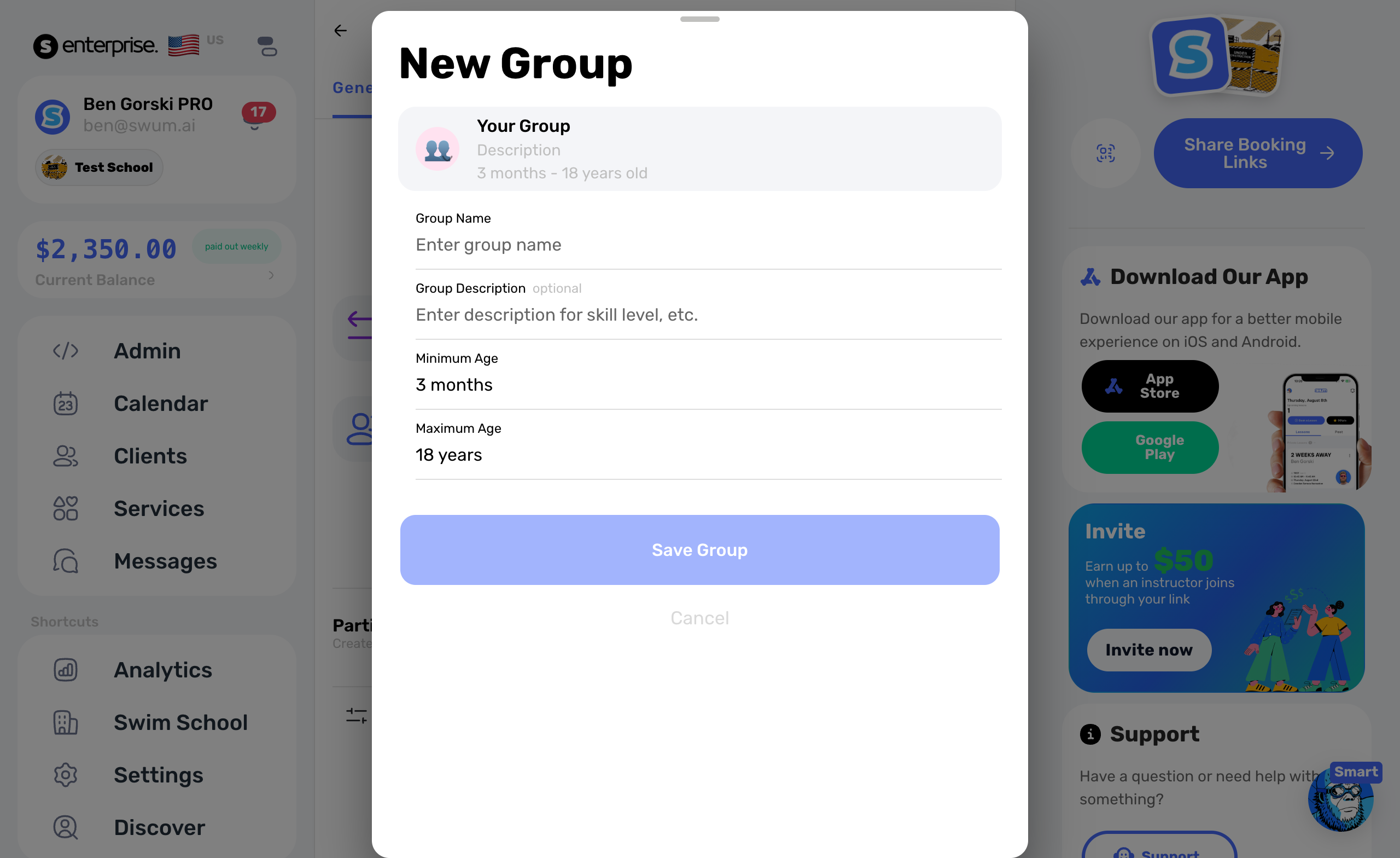
Access: Booking Controls and Groups & Classes
Classes and groups can now use minimum and maximum age ranges for better participant matching. Families get clearer guidance, and schools can keep class groups aligned with program requirements.
8. First and Last Lesson Flags
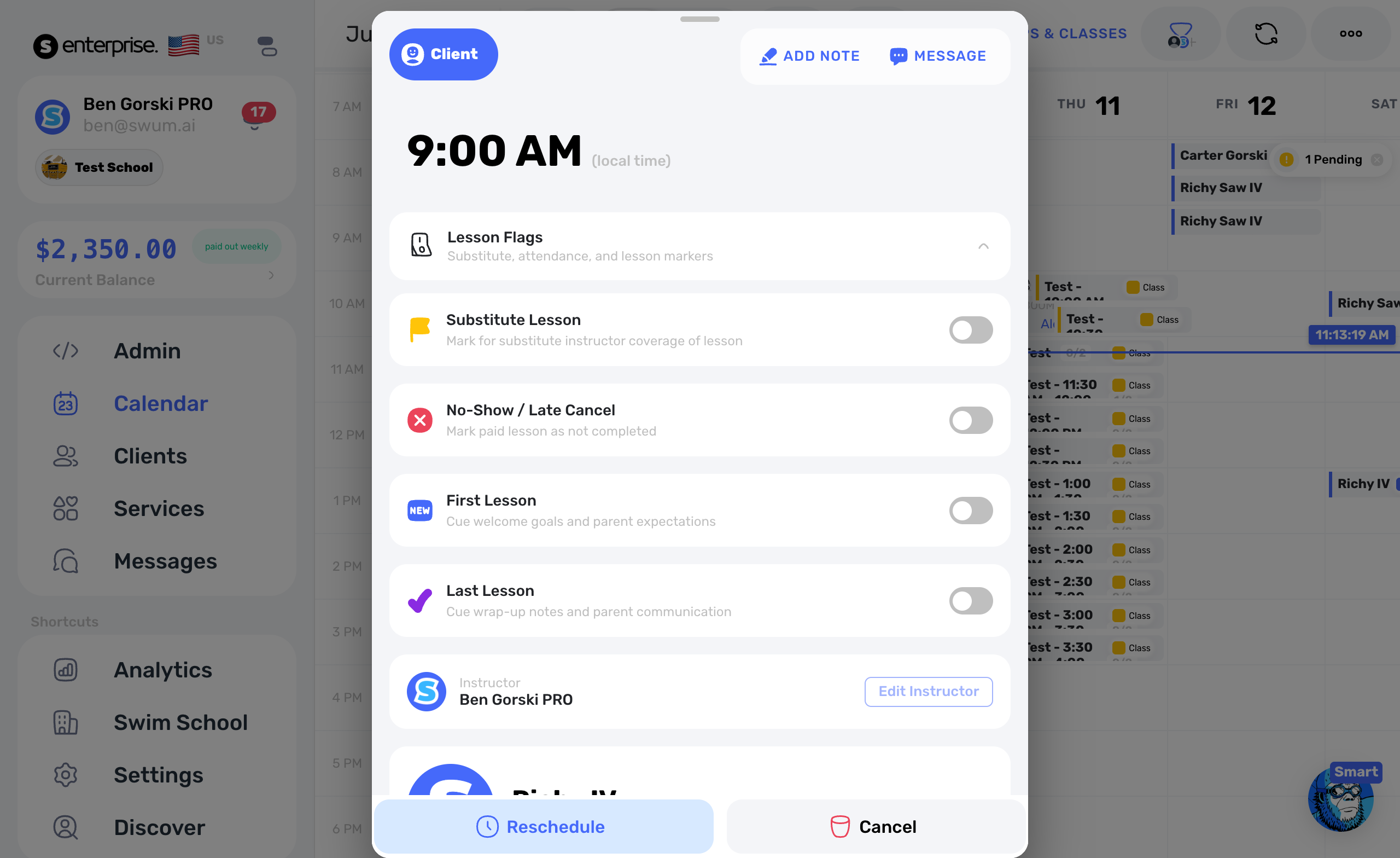
Access: Calendar and lesson cards
Lesson cards can now flag first lessons and last lessons. Coaches can quickly spot new-client starts, final sessions, renewal opportunities, and end-of-program follow-up moments.
9. Move Scheduled Payments Forward
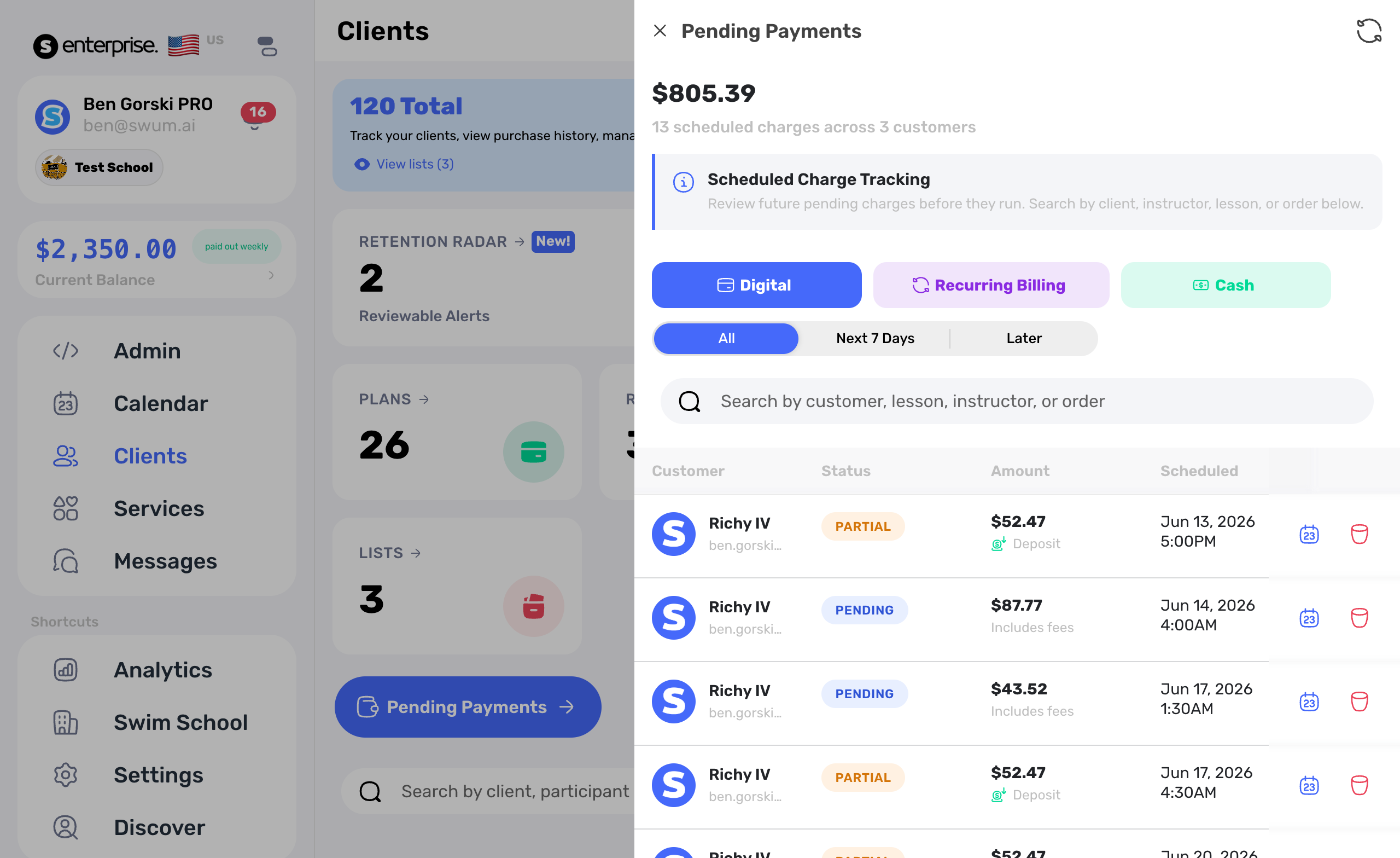
Access: Clients -> Pending Payments
Pending payments can now be moved to a future date when a scheduled charge needs to shift. This helps coaches adjust charge timing without deleting and rebuilding the payment.
10. Add Deposits to Manual Single Lessons
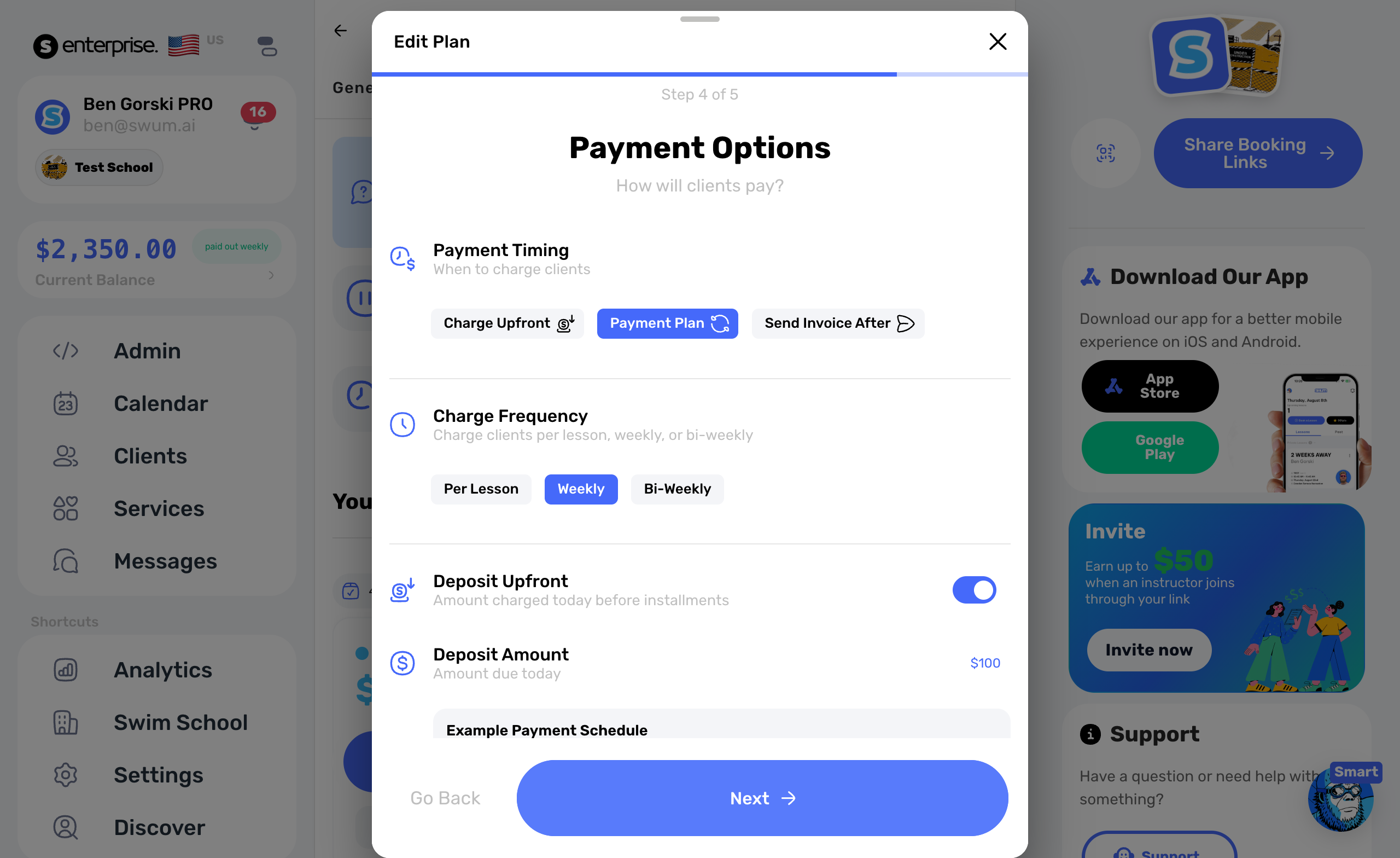
Access: Create Single Lesson
Manual single-lesson booking now supports deposit-style payment setup for paid lessons, including a 10% deposit path. Coaches can collect an upfront amount and schedule the remaining balance instead of charging the full amount immediately.
11. Summer Pause for Plans
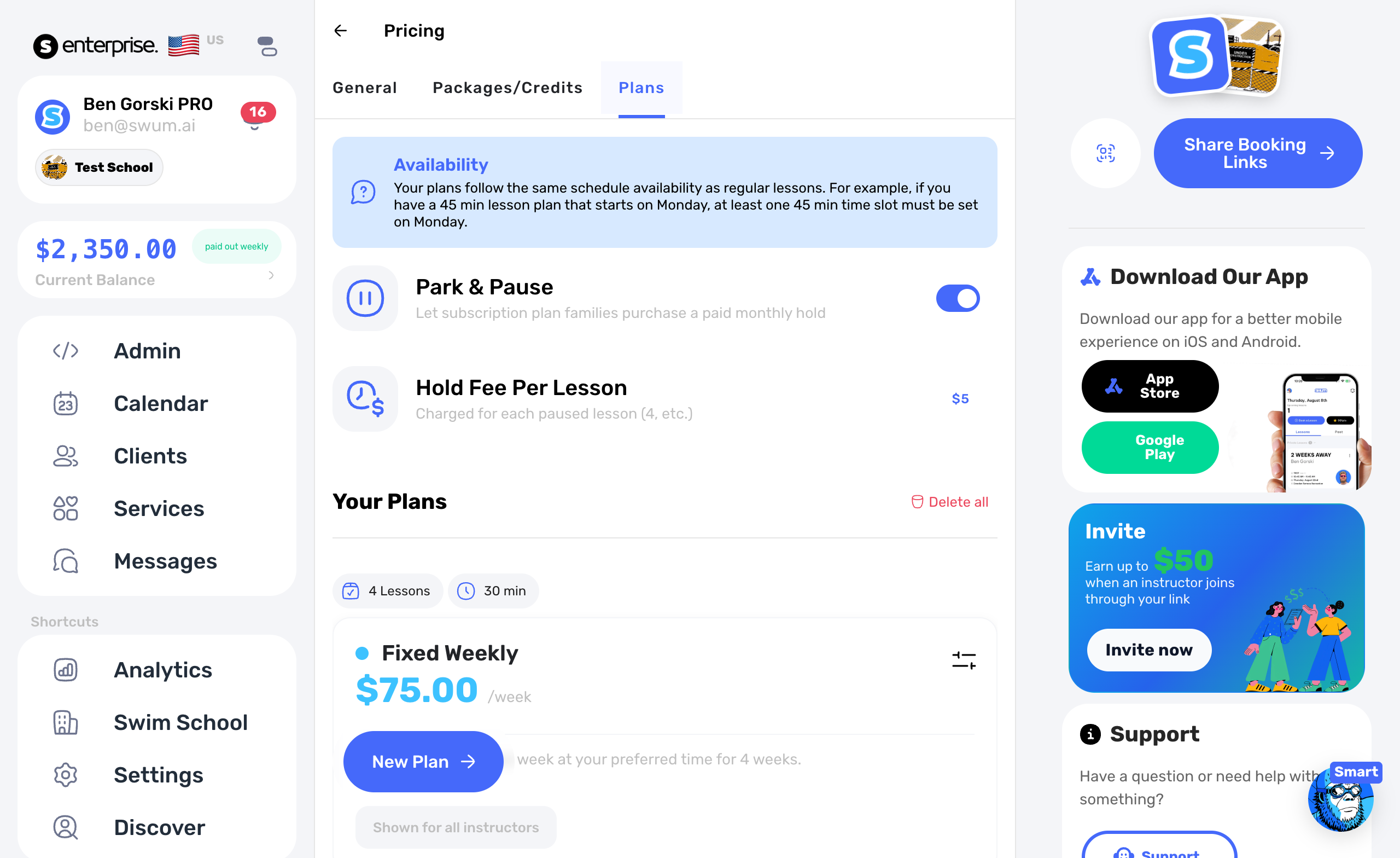
Access: Pricing -> Plans
Plans now support paid hold or pause behavior for families taking a summer break. A family can hold their spot without fully canceling, and the coach can set the pause fee tied to the paused lessons.
12. Start Subscription Plans on a Future Date
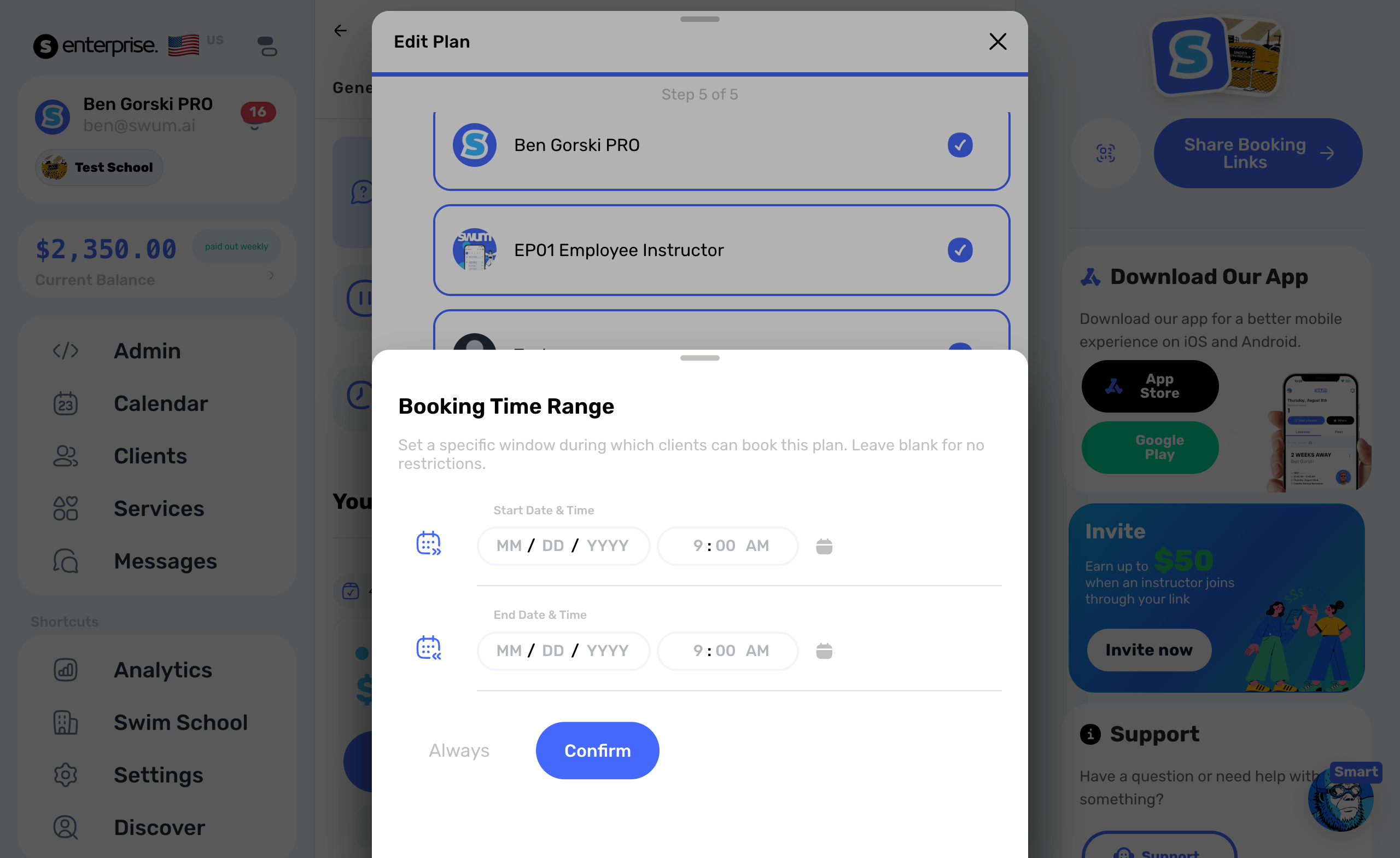
Access: Pricing -> Plans
Coaches can now enroll families in subscription plans without charging until the selected start date. This is especially useful for monthly plans that should begin on a specific date, like the first of the month.
13. Early, Manual, and Partial Payments
Access: Clients -> Pending Payments
Families can now be handled with early payment, manual payment, and partial payment workflows. This supports families who want to pay renewal balances early, pay in increments, or work through a manual payment arrangement.
14. Adjust Lesson Duration With Scheduled Payments
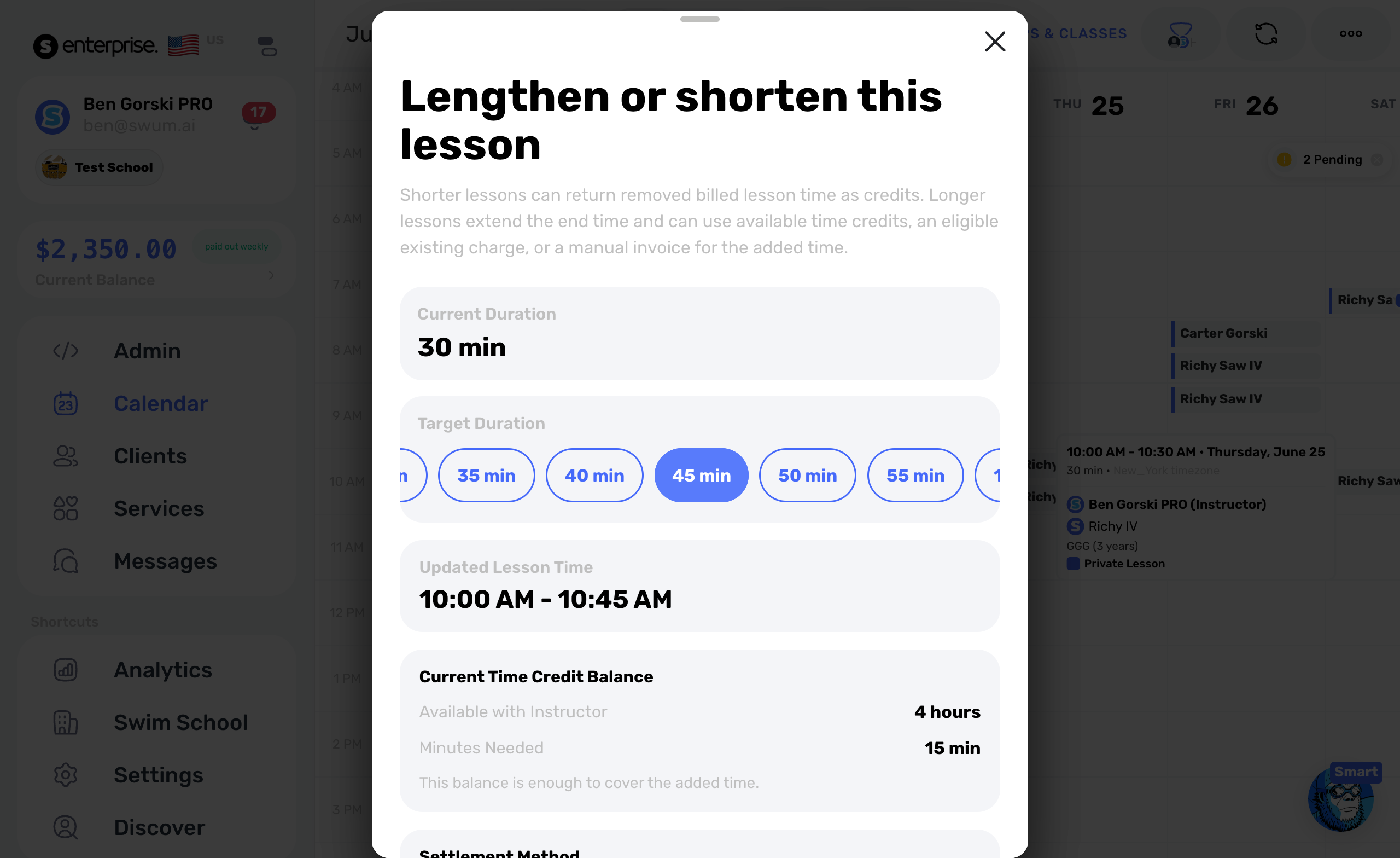
Access: Lesson modal -> Adjust Time
Shortening or lengthening a lesson can now account for existing scheduled payment work. The update keeps duration changes, time credits, and scheduled charges aligned more cleanly.
15. Edit Lesson Prices
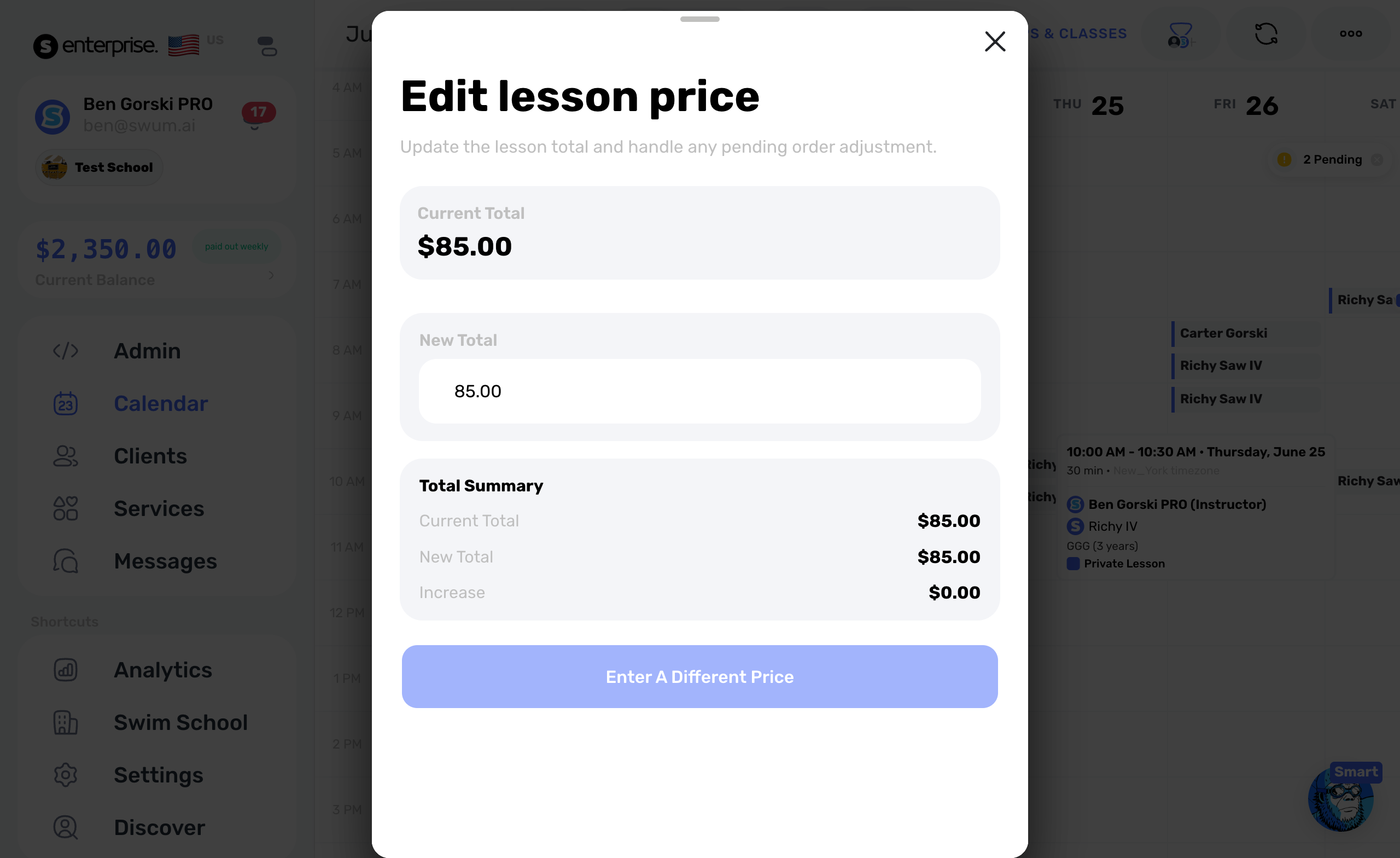
Access: Lesson modal
Coaches can now edit the price of an individual lesson from the lesson modal. This supports custom pricing cases without changing the default rate for the entire account.
16. Send Videos in Direct Messages
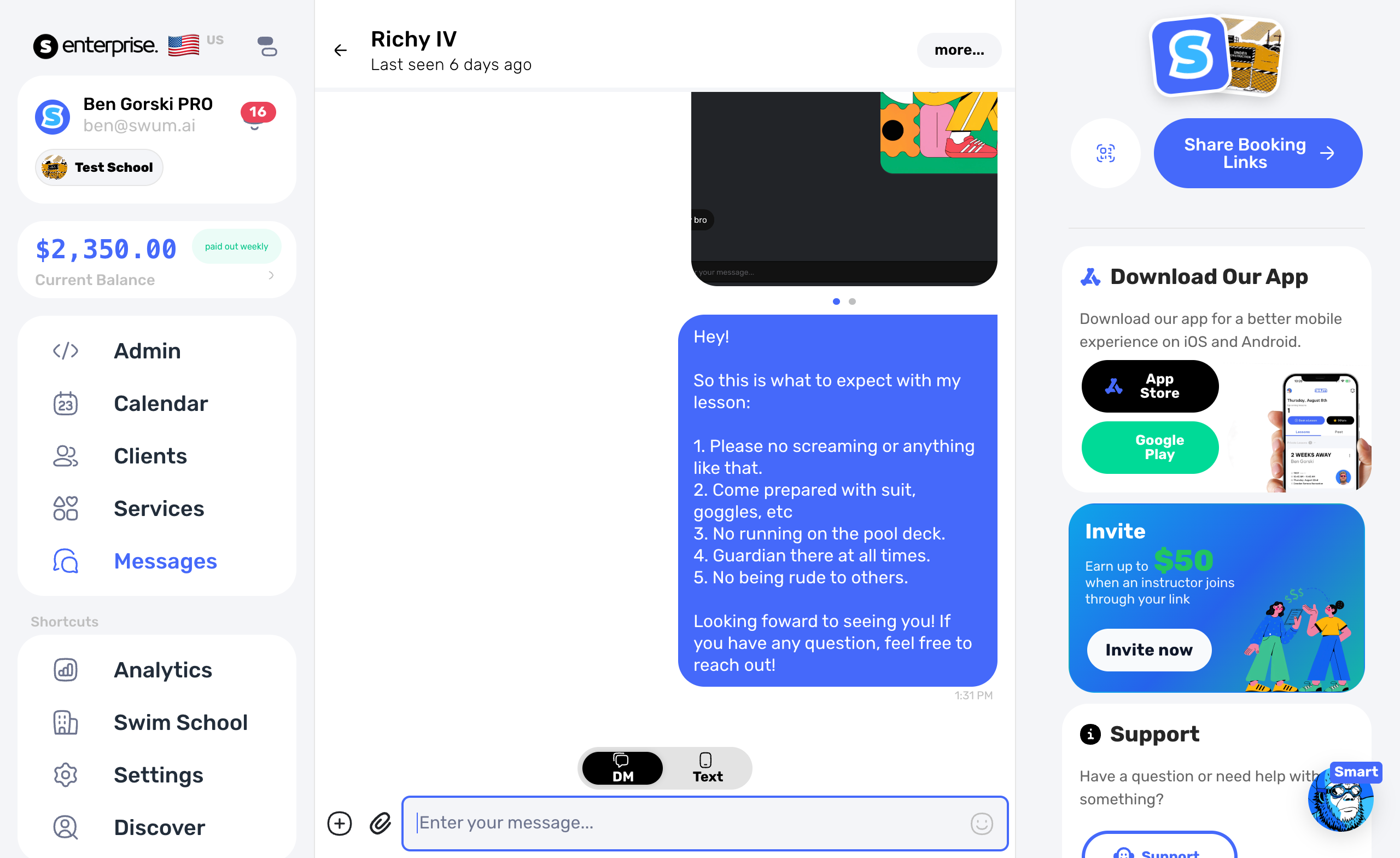
Access: Messages
Messages now supports video attachments, not just text and images. Coaches and families can share technique clips, progress updates, or quick context directly inside Swum conversations.
17. Create Custom Client Lists
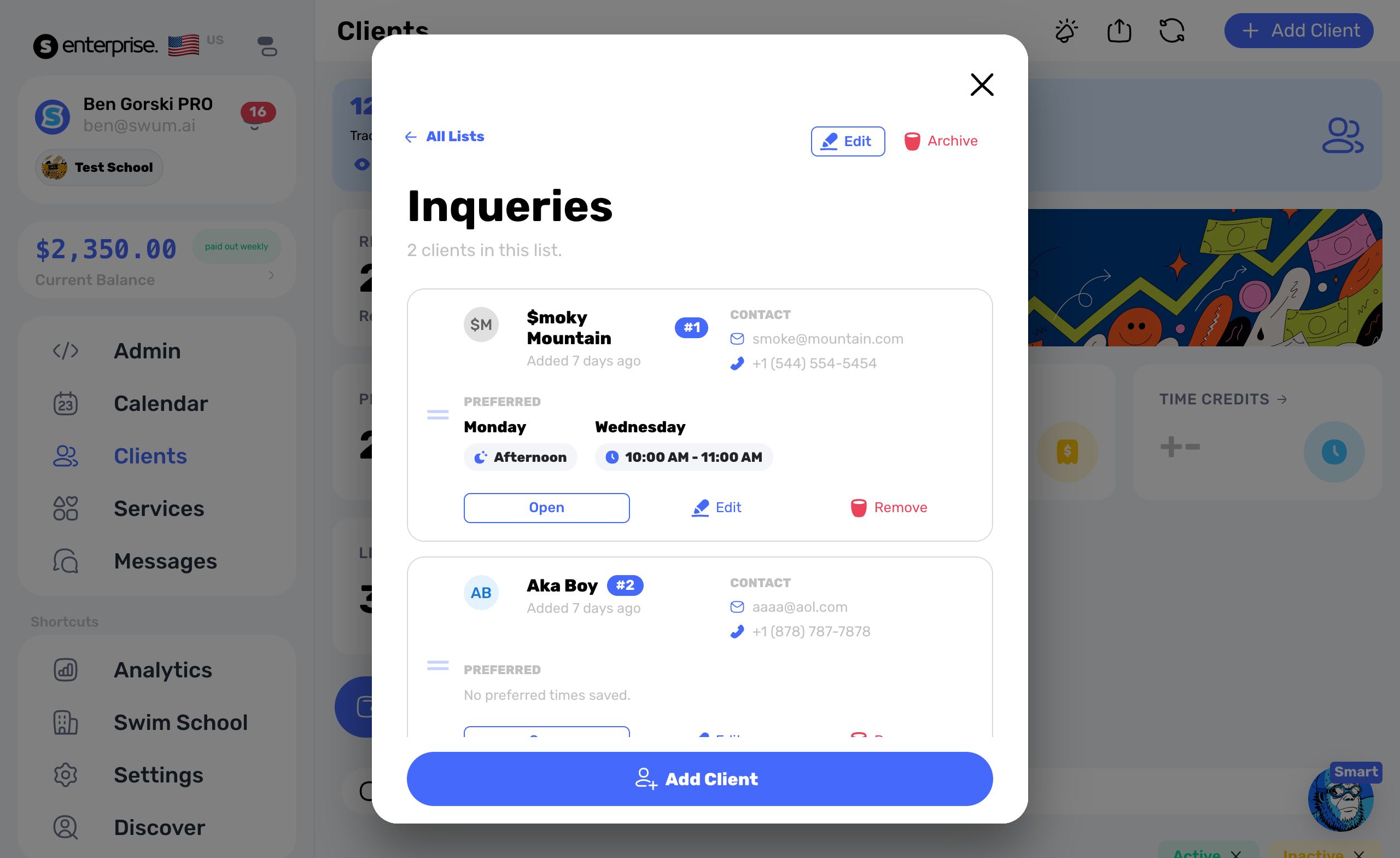
Access: Clients -> Lists
Clients can now be organized into custom lists for easier follow-up and segmentation. Use lists for campaigns, renewal groups, operational tracking, or any client set that does not fit a standard filter.
18. Auto-Apply Time Credits to Scheduled Payments
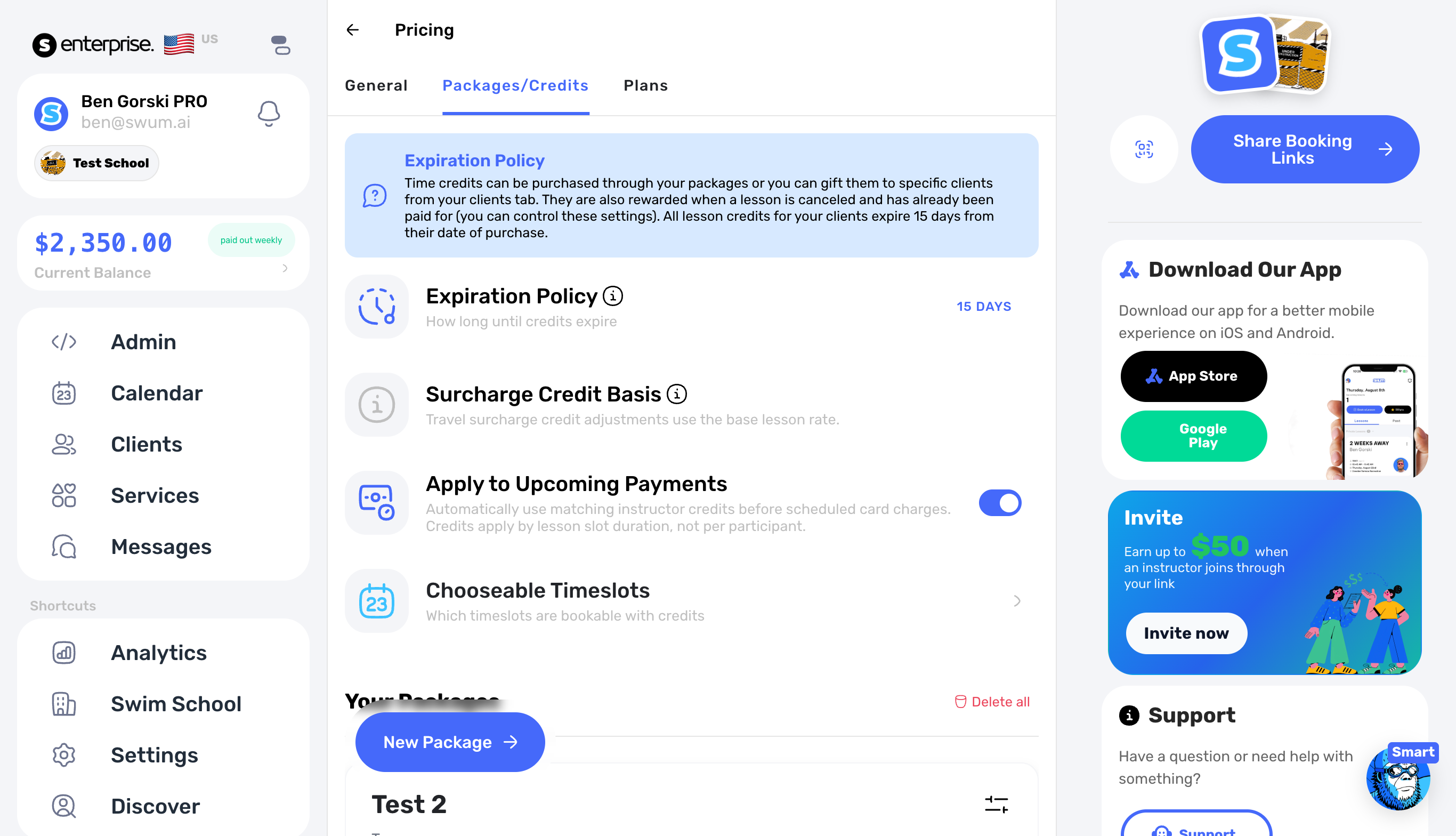
Access: Pricing -> Packages/Credits
Packages/Credits settings can now automatically apply matching time credits before scheduled card charges. This reduces manual cleanup for families who already have usable instructor credits.
19. See Schedule Context During Booking Overlaps
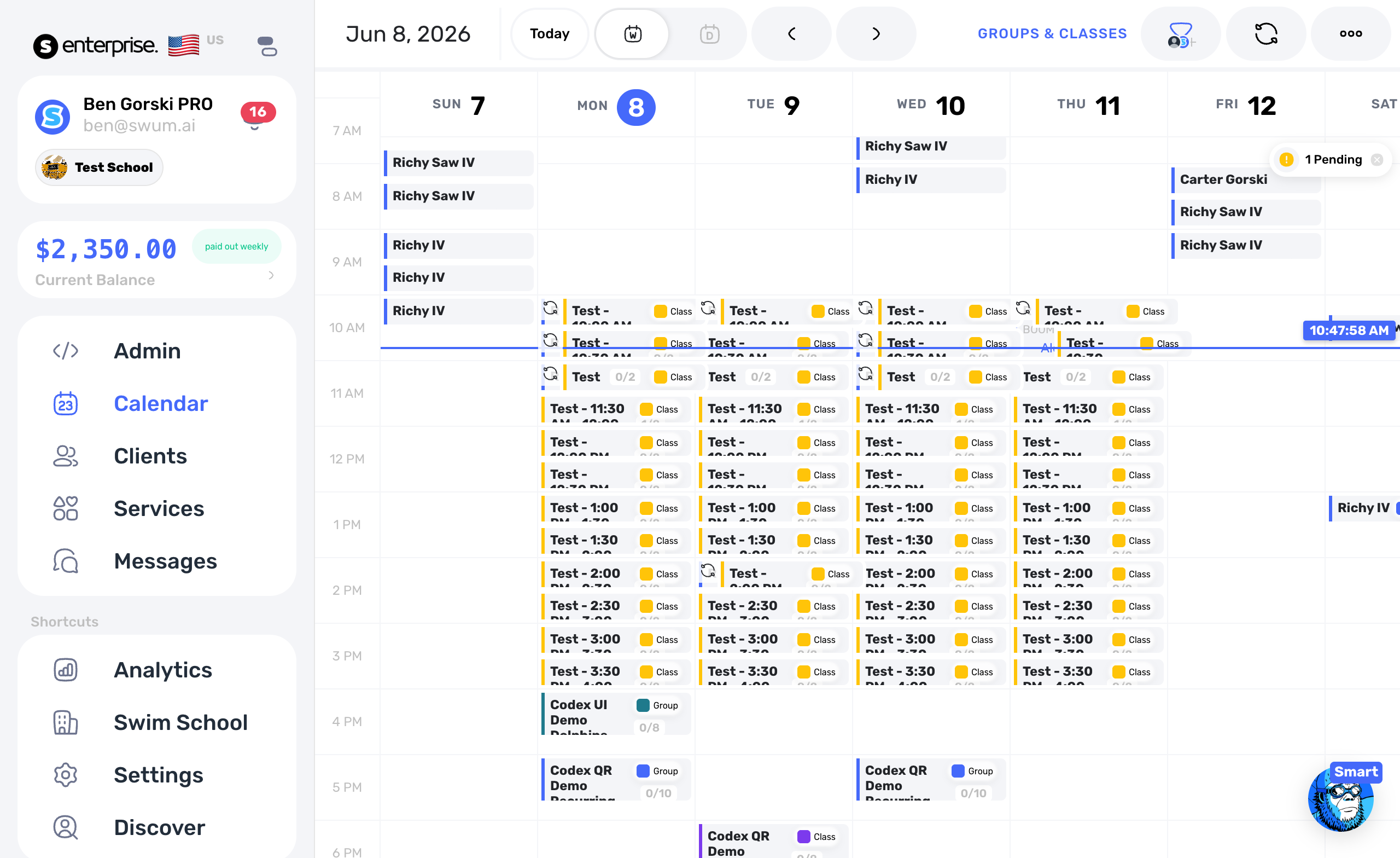
Access: Create Single Lesson and booking flows
When a booking overlap happens, coaches can review schedule context instead of leaving the booking flow. The goal is to understand why a time is blocked without jumping back to the calendar and rebuilding the booking.
20. Open an On-Demand Client View
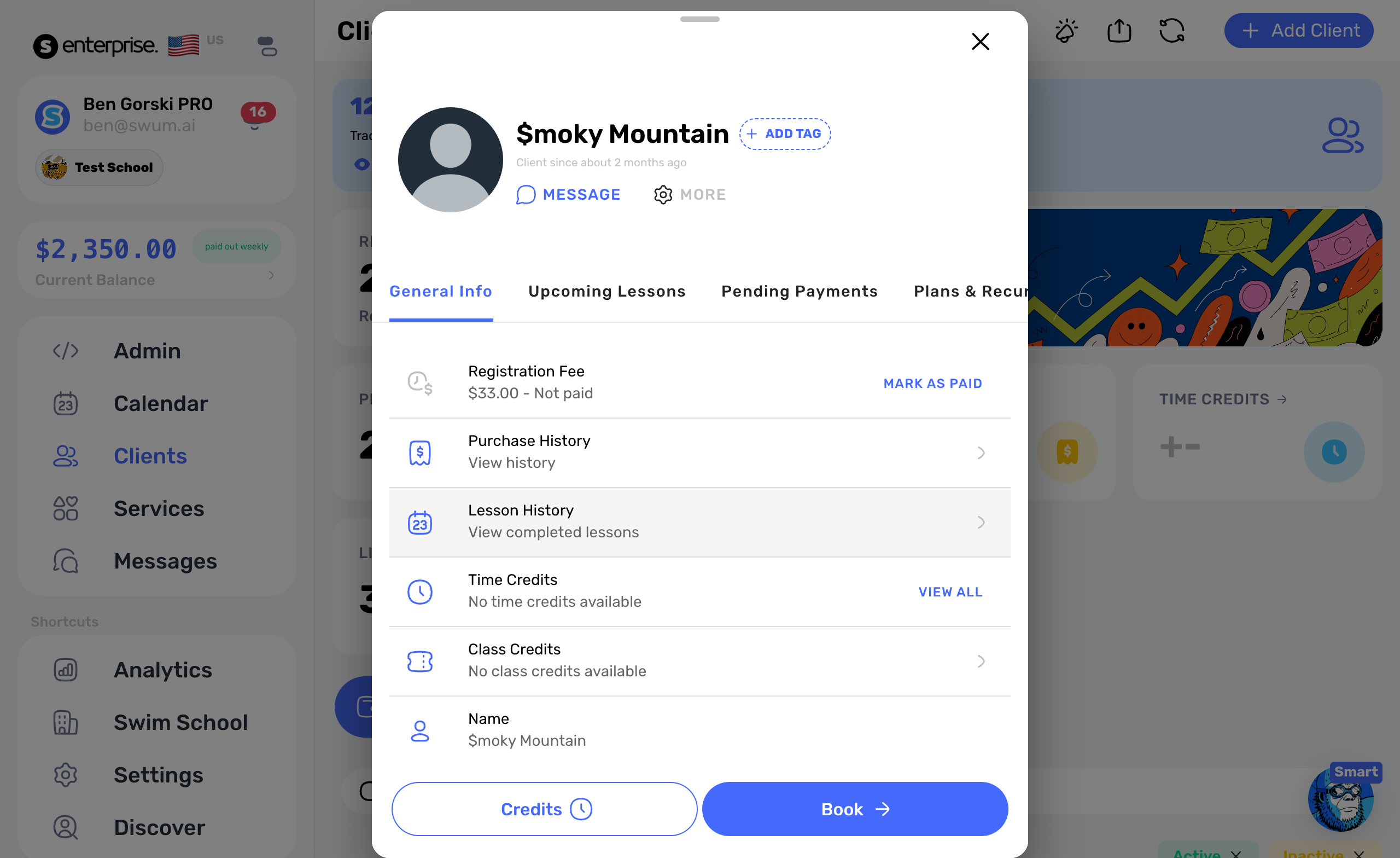
Access: Client window button
Coaches can now open a client window on demand from connected workflows. It gives faster access to contact, payment, plan, and lesson context without losing the current task.
21. Recurring Billing System
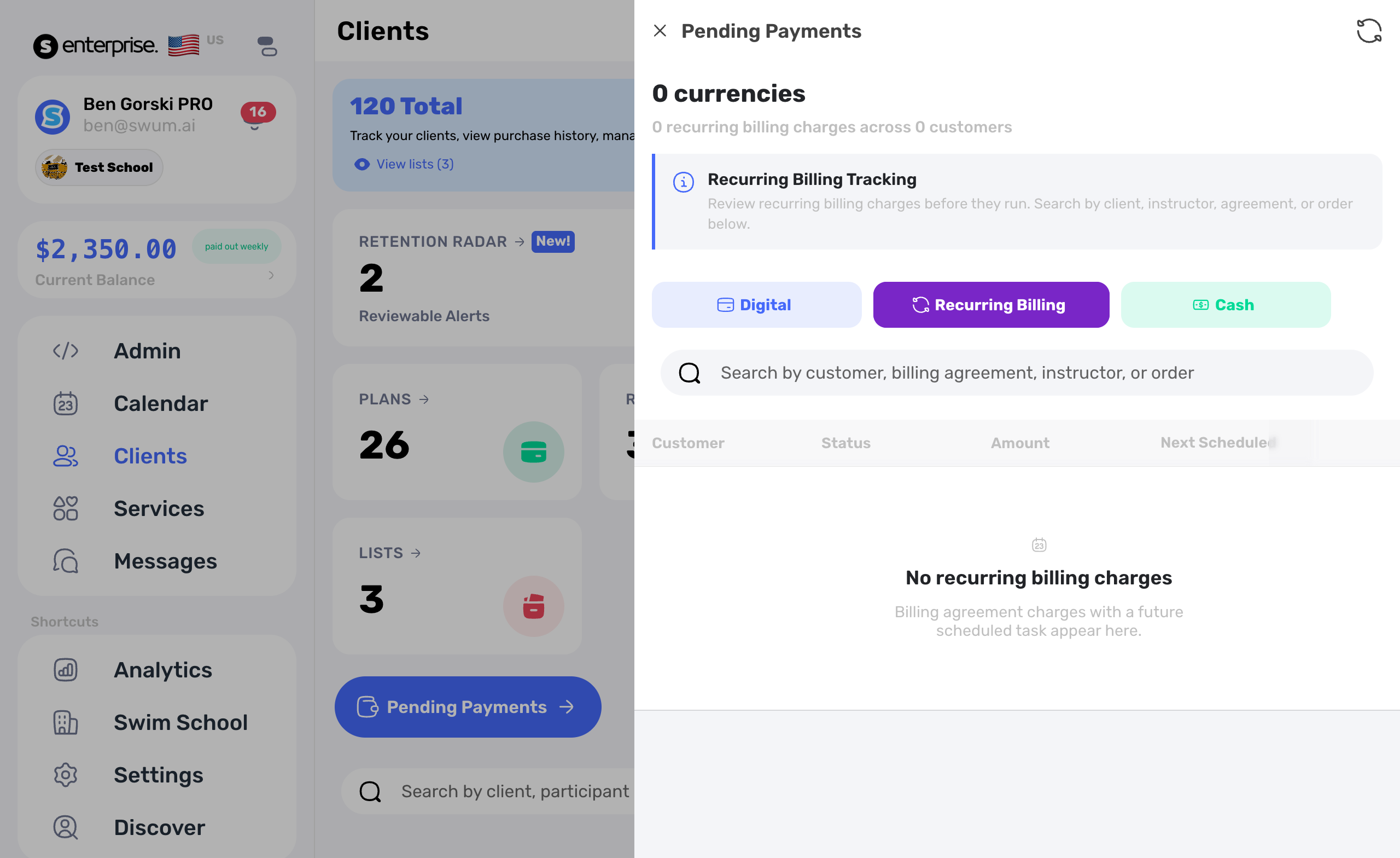
Access: Client profile -> Recurring Billing
Swum now includes recurring billing visibility for automated recurring payment products. Teams can review recurring payment products separately from fixed plans and see scheduled charge state attached to recurring billing.
22. Yearly Lesson History Reporting
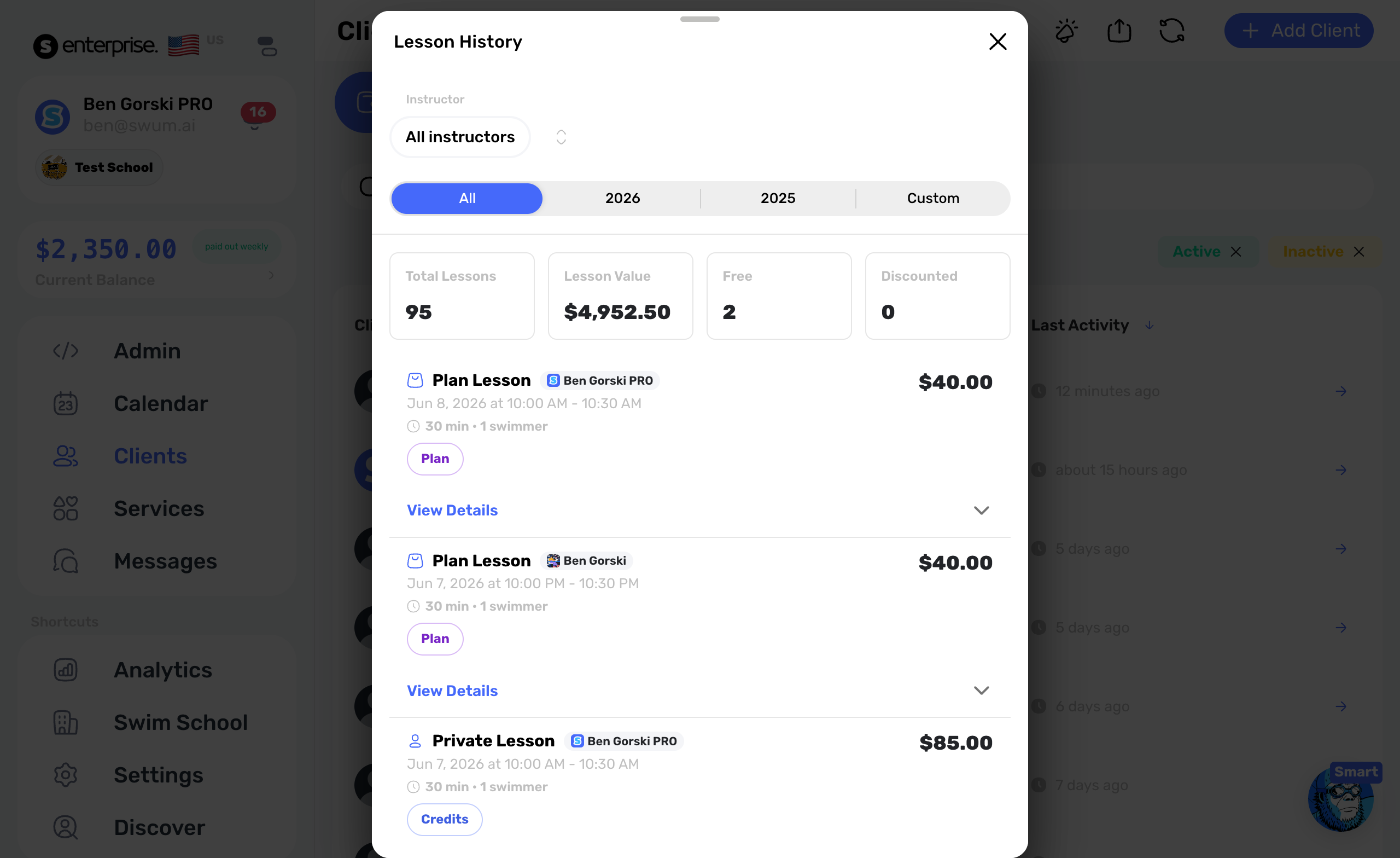
Access: Client profile -> Lesson History
Client lesson history now makes it easier to review yearly lesson counts for reporting and scholarship billing. Coaches can use the yearly view for reimbursement, scholarship, or annual reporting workflows.
23. Overlap Scheduling Preview
Access: Calendar and booking conflict preview
Scheduling now provides clearer overlap preview context when a proposed booking conflicts with existing lessons. Coaches can compare overlapping lessons side by side before deciding what to change.
24. Roll Forward Class Series in Bulk
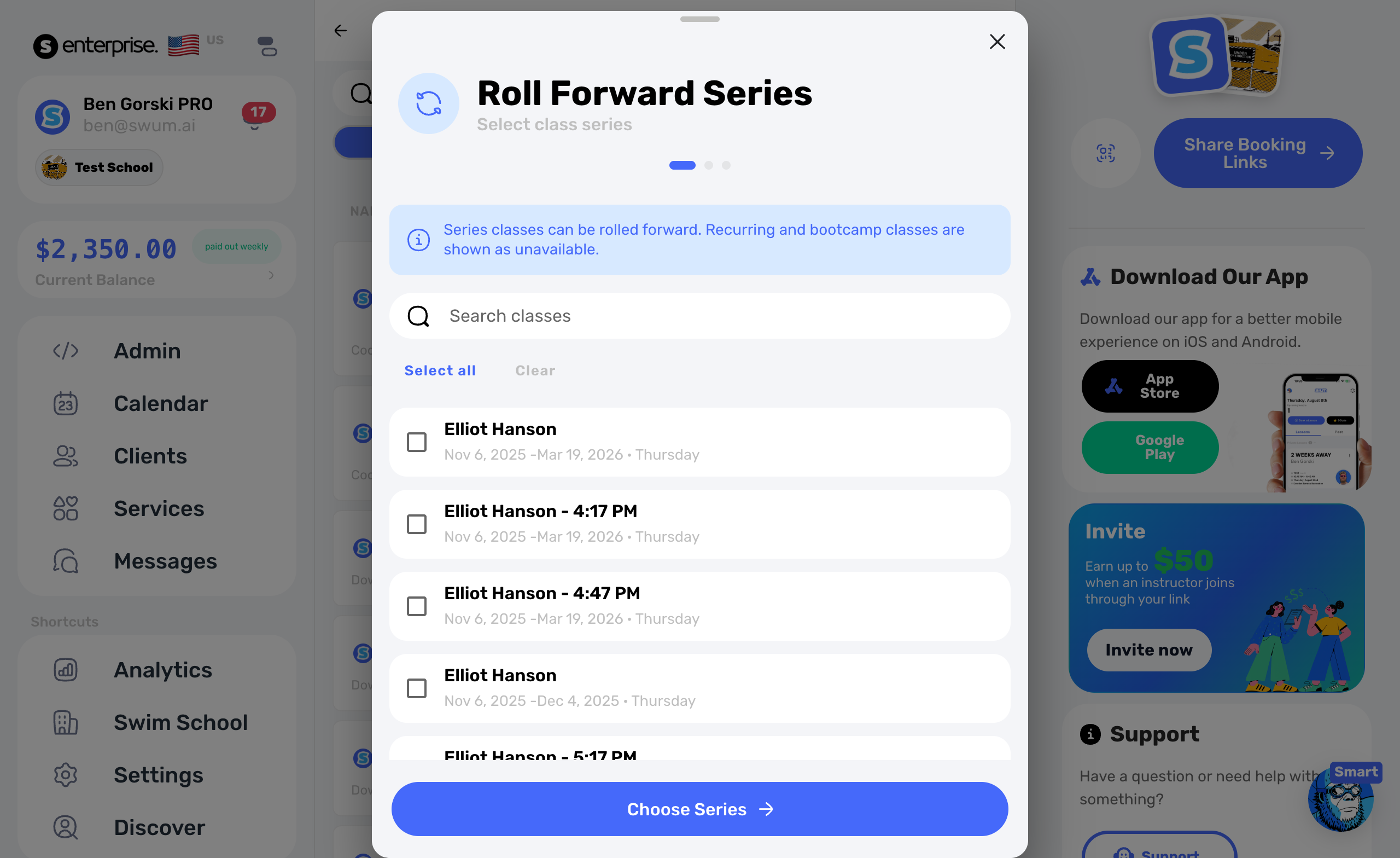
Access: Groups & Classes -> Roll Forward
Class roll-forward now supports moving many class series forward in one larger workflow. Select eligible class series, apply shared dates, adjust individual rows, and carry a season into the next block with less repetitive setup.
25. Updated Discount Code Models
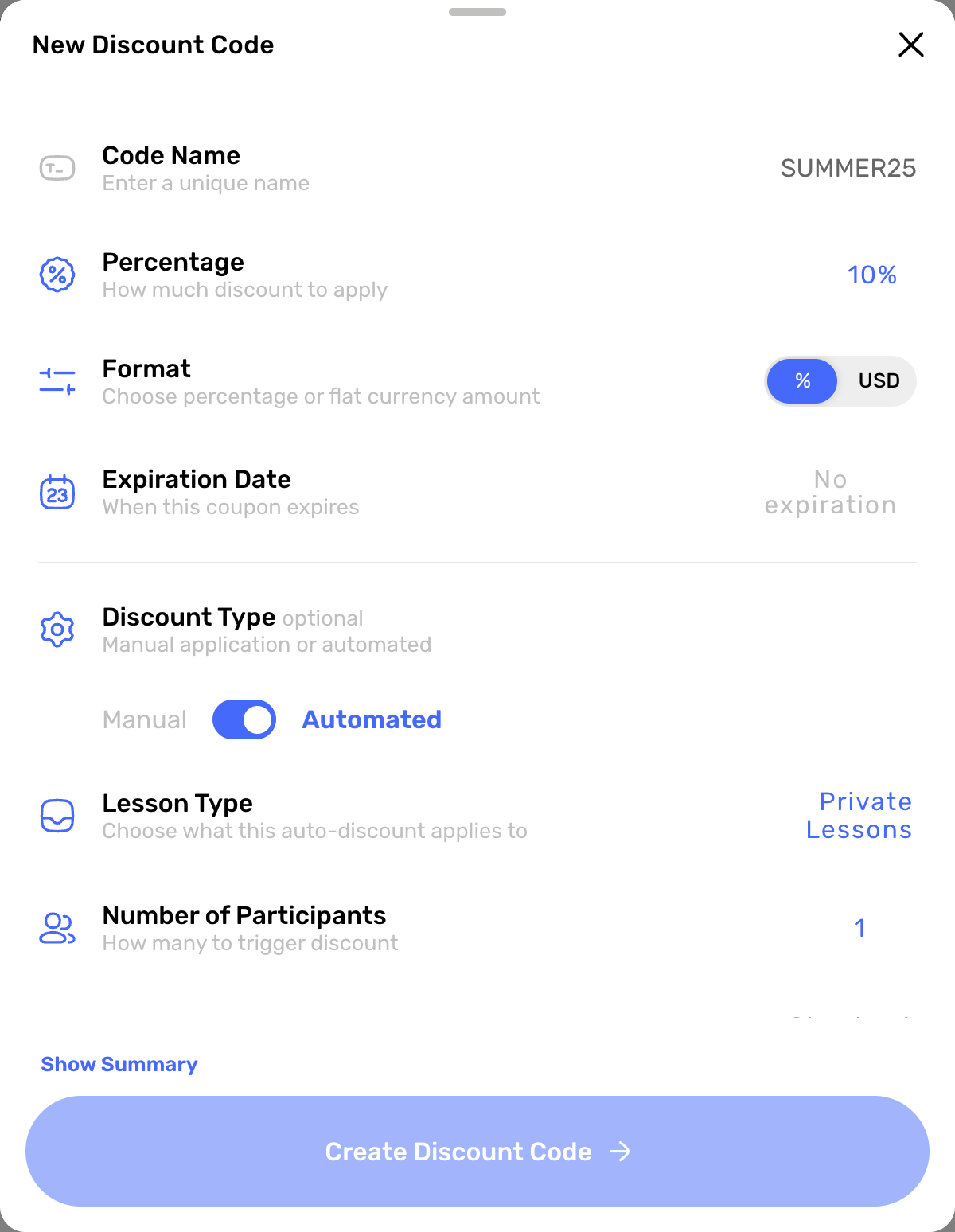
Access: Pricing -> Discount Codes
Discount codes now support automated models for how participants are counted and when discounts apply. Coaches can switch between manual and automated behavior, choose a lesson type and threshold, and pick the discount model.
26. Swum Marketing Program

Access: Services -> Swum Marketing Program
The Services page now includes a Swum Marketing Program submission flow for coaches and schools who want to be featured. Upload photos or videos, submit media for Swum review, and featured posts can link back to the coach profile or school presence.
Early June's Theme: More Control, Less Rework
This release is about giving coaches better control over the exceptions: custom billing, partial payments, schedule changes, seasonal plan behavior, overlapping bookings, and client follow-up. These are the details that usually create back-office work, and Swum now handles more of them inside the core app.